Personalized Card Recommendations

The Cards Guy

Denied During Bilt Card 2.0 Transition

Denied During the Bilt Card 2.0 Transition What to Do and What Worked

If you tried to move from the old Wells Fargo Bilt card to Bilt Card 2.0 and got denied, you’re not the only one. This rollout has been messy for some people, and a denial has been showing up even for longtime users who pay on time and have strong credit. The part that makes this stressful is the timing. The old card is being shut off in early February, and the easy transition window ends fast. So if you’re sitting there staring at a denial screen, you feel like you’re about to get left behind. Here’s what I learned from going through it myself, and what I’d tell anyone dealing with the same issue. First be clear about what happened Bilt calls it a transition, but it’s not a simple product change like most banks do. You’re still going through an approval decision under the new setup. That’s why someone can be a perfect cardholder on the old card and still get declined on the first try. The good news is that the first decision isn’t always the final one. What happened in my case I was denied at first. I did what most people do. I contacted support, asked why, and got the usual unhelpful answer that you’ll see others getting too. Basically we can’t change it and try again later. Instead of giving up, I kept pushing for one specific thing. A manual review. Once I got my case escalated and got written confirmation that it was being reviewed, it took about a week. Then everything changed quickly. I received an email saying I had an offer waiting in the Bilt app. Right after that, I got the approval email. Then I got the email confirming the transition was locked in. So the outcome wasn’t reapply later. The outcome was they looked again and it got approved. That’s why I’m telling people not to panic after the first denial. If you’re denied here’s what I would do Stop hitting the button over and over. Don’t keep restarting the process every few hours. It doesn’t help. Take a screenshot of the denial message, save the date, then move on. Ask support for one thing. Please escalate this for manual review. Don’t write a long story. Don’t argue about your credit score. Keep it simple. You were denied, you believe it may be an error, you want it reviewed, and you want a case number. Use the app chat too because it’s usually faster. Email is good for a paper trail. Chat is often quicker for getting a case opened and getting someone to confirm they escalated it. What you want is a clear line back like we escalated the decision or we sent it to the bank partner for review. While you’re waiting, fix the small stuff that causes a lot of denials. A lot of these denials look like verification problems. Three things that come up again and again are address mismatches, frozen credit files like Innovis, and missed verification steps that went to spam. Once you have written confirmation that it’s escalated, give it a few days. In my case it was about a week. Then the approval emails came in a burst. If they tell you to reapply in 45 days This is where people get stuck because 45 days pushes you outside the transition window. If you get that answer, I would respond like this. I’m not trying to reapply. I’m asking for escalation and review because I believe the decision may be wrong. Then ask one direct question. Can you tell me what failed verification, address match, credit file access, or is this a final underwriting decision. Sometimes reps don’t have detail, but pushing for a clear reason forces the case to move to someone who does. If you’re getting nowhere, calling can help. Bilt listed a transition phone line for Card 2.0 questions. The number is 888 904 3420. What approval usually looks like When the review goes your way, it usually shows up like this. You get an email telling you there’s an offer waiting in the app. You accept the offer. You receive the formal approval email with your terms. Then you get the transition confirmation email. It tends to happen quickly once the decision flips. Quick answers people keep asking Does manual review mean I’m denied. No. Manual review usually means the decision isn’t final yet. If I’m denied do I lose my points. No. Your points are tied to your Bilt Rewards account. Is there a normal reconsideration line like Chase or Amex. Not the way people are used to. This has been more about getting support to escalate a case to the right team. Why would someone with great credit be denied. A lot of these have looked like verification and data issues, not actual creditworthiness. Bottom line If Bilt Card 2.0 denies you during the transition, don’t assume it’s final. In my case, the first decision was no, and after escalation and manual review, it became yes within about a week. The whole game is getting your case in front of the right team and cleaning up anything that could cause verification problems while you wait. Links Bilt Card 2.0 lineup Bilt transition help article Bilt Card 2.0 announcement Innovis security freeze Innovis credit report

Denied During the Bilt Card 2.0 Transition What to Do and What Worked Read More »
Apple Card Moving to Chase: What Cardholders Should Know

Apple Card Is Moving to JPMorgan Chase: What It Means for Cardholders

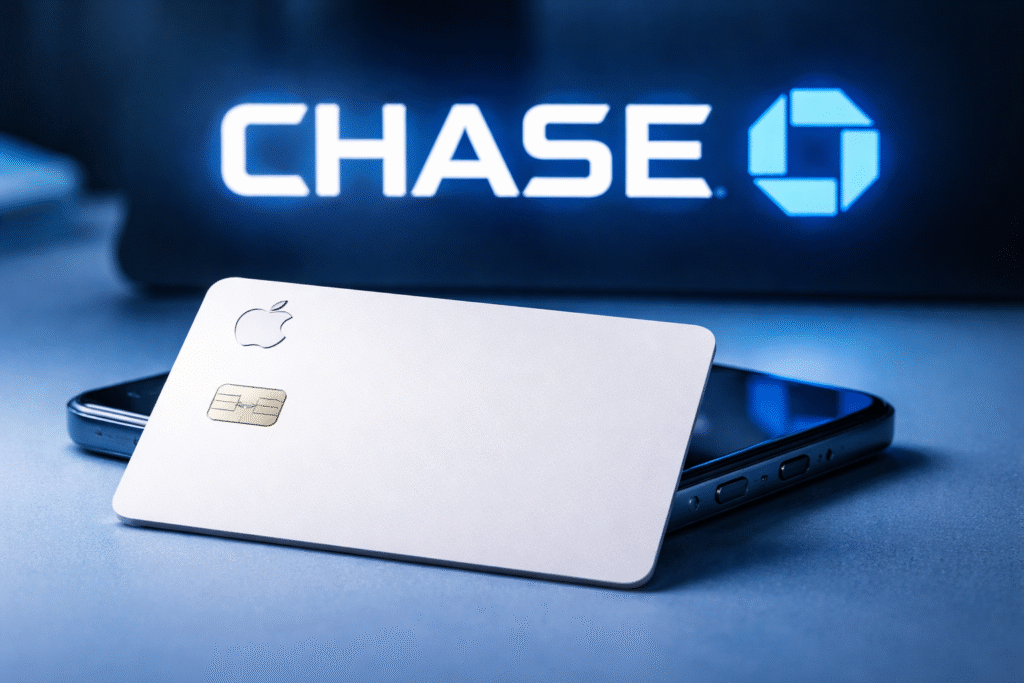
Updated: January 18, 2026 Apple Card is changing banks — not changing its identity. Goldman Sachs has been the issuing bank since Apple Card launched in 2019, and Apple has now announced that JPMorgan Chase will become the new issuer. The transition is expected to take about 24 months, and Apple says cardholders can keep using Apple Card normally during that period. The announcement On January 7, 2026, Apple and Chase confirmed the issuer change in a joint announcement: Apple Newsroom release.Chase published the same announcement here: Chase press release. Apple also created a dedicated FAQ page that lays out what changes (and what doesn’t): Apple Card Issuer Transition FAQ. In simple terms it means that Chase is becoming the new issuer, Mastercard remains the card payment network, and Apple says the Apple Card experience — the Wallet-first way you apply, pay, and track spending — continues. What stays the same Apple will continue providing the same experience correctly available, that part will stay.  You’ll keep managing Apple Card in the Wallet app and at card.apple.com. You’ll keep earning Daily Cash (Apple reiterates “up to 3% unlimited Daily Cash back on every purchase”). Apple Card will continue to have no fees: no annual fees, no late fees, and no foreign transaction fees. Mastercard remains the payment network (so acceptance and Mastercard benefits continue). Apple Card Family remains available for sharing an account through Family Sharing. Apple Card Monthly Installments continues as an interest-free payment option when selected at checkout on eligible Apple purchases. Apple’s privacy and security commitments remain unchanged. What changes The “issuer” is the bank that underwrites the account, extends the credit line, and carries the lending risk. That’s what’s moving from Goldman Sachs to JPMorgan Chase. Balances for open accounts: once the transition is complete, Apple says existing open balances will be with Chase. Bank infrastructure: servicing, underwriting models, and portfolio management ultimately shift to Chase. Credit reporting: Apple says credit reports will update to show Chase as the issuing bank after the transition. Timeline: when the switch happens Apple and Chase are guiding to an “expected transition in approximately 24 months,” and they note it’s subject to closing conditions and regulatory approvals. In practical terms, that points to a late‑2027 to early‑2028 handoff. Until then, Apple says you can use Apple Card normally, and Goldman Sachs will continue to service Apple Card users. If you already have Apple Card Apple’s says that you will not need to reapply, and you can keep using the card the same way while it’s being transitioned. No reapplication required for existing users. You keep using your existing physical Apple Card during the transition. If card numbers or physical cards change, Apple says you’ll be told directly closer to the transition date. Support stays accessible through Apple Card support in the Wallet app; Goldman Sachs continues servicing until the transition is complete. Apple Card basics Apple Card is designed around Apple Wallet. You apply in Wallet, use Apple Pay for the best earn rate, and your rewards show up as Daily Cash you can use right away. The Daily Cash structure is still the core of the product: 3% Daily Cash on Apple purchases and select merchants when you use Apple Pay 2% Daily Cash on purchases made with Apple Pay 1% Daily Cash when you use the physical titanium card Apple Card is marketed as fee‑free (no annual, late, or foreign transaction fees), and it’s built around spending insights inside Wallet — including transaction details and tools designed to help people stay on top of payments. Why Goldman Sachs is exiting — and why Chase is stepping in Goldman Sachs confirmed the agreement in its own press release and framed it as the completion of a broader pullback in its consumer business. Goldman also said the transition is expected to take about 24 months and that it will continue operating the program until the transition is complete. Chase, for its part, gets one of the largest co‑brand card programs in the USA. Reports from major outlets have described the portfolio as over $20 billion in balances moving to Chase, and Chase has discussed setting aside substantial reserves tied to the acquisition. What we still don’t know yet Apple has been clear about continuity, but it hasn’t published a “new Chase version” of Apple Card terms. Until Apple shares final migration details closer to the switch, a few practical questions remain open: Whether any rewards details change beyond what Apple has already reaffirmed (Daily Cash, no fees). Whether there will be new promotions or limited-time bonuses tied to the transition. How Apple Savings will be handled long-term under the new issuer relationship (Apple says more details are coming). Whether the transition triggers any visible changes in statements, payment processing, or dispute handling. FAQs When does Chase become the issuer of Apple Card? Apple and Chase are guiding to an expected transition in approximately 24 months from the January 7, 2026 announcement (subject to approvals). Do I need to apply again if I already have Apple Card? No. Apple says existing Apple Card users do not need to reapply. Can I still apply for Apple Card right now? Yes. Apple says you can apply for Apple Card during the transition period. Will Apple Card still be a Mastercard? Yes. Apple and Chase say Mastercard remains the payment network for Apple Card. Will my physical titanium Apple Card still work? Yes. Apple says you can keep using your existing physical Apple Card as normal during the transition. Will my card number or card information change? Apple says any specifics regarding card number changes (if any) will be communicated directly to users as the transition date approaches. What happens to my existing balance? Apple says that once the transition is complete, Apple Card balances for open accounts will be with Chase. Until then, you should pay as you do today. Will Daily Cash change? Apple says users will continue to earn up to

Apple Card Is Moving to JPMorgan Chase: What It Means for Cardholders Read More »

6.06% Mortgage Rate: Will Your Monthly Payment

Is a 6.06% Mortgage Rate Enough to Lower Your Monthly Payment?

Mortgage rates finally moved in the right direction. Freddie Mac’s weekly survey showed the average 30‑year fixed rate at 6.06% for the week ending January 15, 2026—down from 6.16% the week before and 7.04% a year earlier. That’s the lowest benchmark reading since 2022. What 6.06% changes (and what it doesn’t) A drop from the low‑7% range to just above 6% can take real pressure off a monthly payment, but it doesn’t fix affordability by itself—especially once you add taxes and insurance. Example (principal and interest only): Loan Amount Rate Approx. Monthly P&I $350,000 7.04% $2,338 $350,000 6.06% $2,112 That’s about $226 per month in this example. Helpful—but if you’re still borrowing a large amount, the payment can still feel heavy. Why many payments still feel high Home prices are still elevated in many markets, so loan sizes remain large. Property taxes and homeowners insurance have been rising in many areas. Putting less than 20% down can add PMI on top of the payment. A practical strategy: upgrade first, refinance later If you already own a home—or you’re buying now and plan to stay put—one practical way to improve the math is to raise the home’s value with smart upgrades, then refinance (or remove PMI) when the timing and numbers work. This approach is usually about: Making the home easier to appraise and easier to sell. Improving loan‑to‑value over time (sometimes helping with PMI removal). Setting up a refinance that lowers the long‑term monthly burden when rates cooperate. 0% APR for upgrades: start with Zero Interest Mastery (“Zero Mastery”) Zero Interest Mastery is a consulting company that helps business owners access 0% business credit. On their site, they promote $100,000–$250,000 of 0% business funding. They’re not the bank and they don’t issue the credit—their role is helping you approach the right banks and issuers and line up the applications in a way that supports higher limits. What 0% APR actually means A 0% APR offer is an introductory period where you pay no interest on purchases (and sometimes on balance transfers) for a set number of months. It can work well for a renovation or move‑in project if you have a clear payoff plan. The catch is simple: once the promo ends, interest can jump, and some offers carry fees (especially balance transfers). Why business cards matter if you plan to refinance If you put a big renovation balance on a personal 0% card, that balance shows up on your personal credit report. High utilization can drag down your score right when you’re trying to qualify for the best mortgage pricing. That’s why many people prefer using business credit cards for the 0% portion. With many major issuers, business card balances usually don’t report to the personal credit bureaus unless the account becomes delinquent. In plain English: you can carry a temporary balance without it showing up as a big utilization spike on your personal reports. Important exception: Capital One is known for reporting most business card activity to personal credit bureaus, including most Spark cards. So if you’re trying to keep your personal score clean for a mortgage, Capital One business cards are often the ones to avoid for this strategy. Two practical caveats: you can still see a hard inquiry when you apply, and not every issuer’s reporting policy is identical—always confirm before you apply. Upgrades that tend to help value Not every renovation pays back the same way. If your goal is a stronger appraisal and cleaner refinance story later, focus on updates that are easy to see and easy to document. Cosmetic refresh: paint, flooring, lighting, fixtures, hardware. Kitchen and bath refresh: counters, fixtures, updated appliances, clean finishes. Curb appeal: basic landscaping, exterior touch‑ups, entry improvements. Fixing problems: roof issues, water damage, electrical or plumbing repairs. Keep receipts and take before‑and‑after photos. Documentation helps when an appraiser reviews the home. Simple rules to keep this clean Know your budget, your timeline, and your monthly payoff amount before you charge anything. Avoid deferred‑interest promos unless you fully understand the terms and the exact payoff deadline. If a refinance is coming soon, don’t open new accounts at the last minute. Give yourself runway. Don’t use credit cards as down payment funds—ask your loan officer before making any move that affects cash‑to‑close. Bottom line 6.06% is progress, and it can cut payments compared with last year. But in a still‑high‑rate environment, the biggest wins usually come from lowering the loan balance over time and positioning yourself for a better refinance later. Using 0% APR to fund value‑focused upgrades can make sense—especially when it’s structured through business cards that don’t report balances to your personal credit. If you’re exploring higher‑limit 0% business funding, Zero Mastery is one place people look because they focus on that business‑card approach and aim for larger totals. Just keep the plan disciplined and the payoff realistic. FAQs Is 6.06% the rate I will get? No. It’s a benchmark average. Your rate depends on your credit, down payment or equity, points, loan type, and lender pricing that day. Should I refinance just because rates dipped? Not automatically. Compare the payment savings to closing costs and how long you plan to keep the loan. Will 0% APR hurt my mortgage chances? It can if the balance reports on your personal credit and spikes utilization. That’s why business cards that don’t report balances are often the cleaner tool. Do business credit cards always stay off personal credit reports? Often, but not always. Many major issuers don’t report ongoing balances to personal bureaus unless delinquent. Some issuers do report—Capital One is the big exception. Why avoid Capital One Spark cards for this? Capital One is known for reporting most business card activity to personal credit bureaus, including most Spark cards, which can affect your personal score and utilization. What upgrades are most likely to help appraisal value? Clean, visible improvements and fixing real problems—paint, flooring, kitchen/bath refreshes, curb appeal, and major repairs that remove red flags. How do

Is a 6.06% Mortgage Rate Enough to Lower Your Monthly Payment? Read More »

Wells Fargo Signify Business Cash® Card: Apply Online

Finally You Can Apply For The 0 APR Wells Fargo Signify Business Cash® Card Online

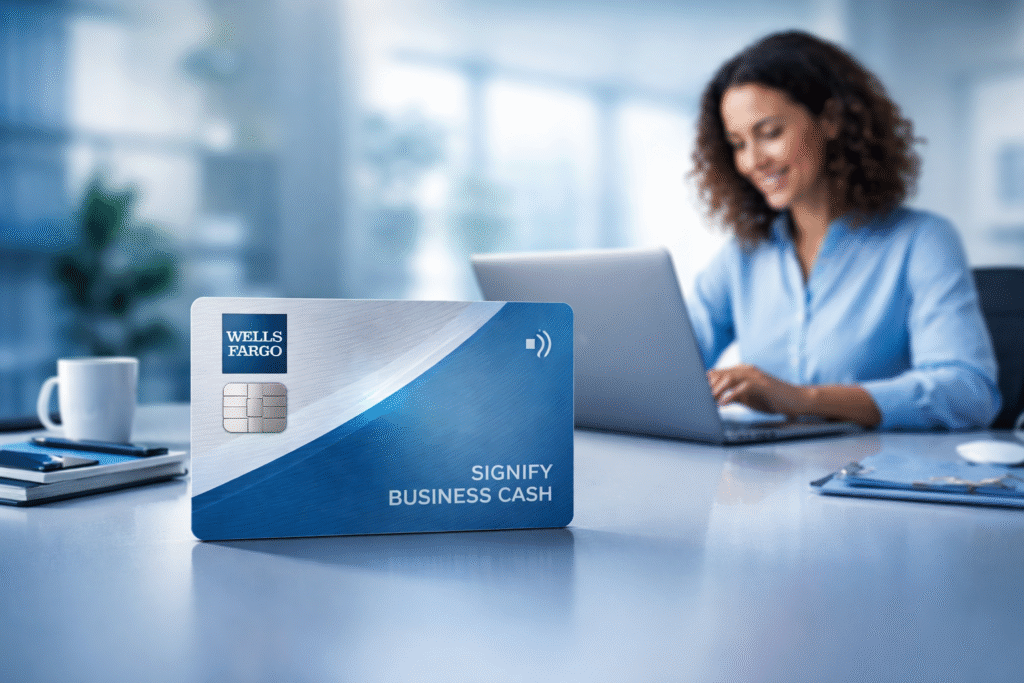
Last updated: January 19, 2026 Here’s the latest about this card: Signify Business Cash launched in 2024, but for a long time it was only possible to apply in branch. Wells Fargo now lists a direct online application path on the public card page. If you avoided this card because you did not want a branch visit, then you might be Interested in this now. Signify Business Cash® Card by Wells Fargo Quick snapshot: Welcome offer $500 cash rewards bonus after $5,000 spend in first 3 months Rewards Unlimited 2% cash rewards on qualifying purchases Annual fee $0 Intro APR 0% intro APR for 12 months on purchases Ongoing purchase APR 16.74% to 24.74% variable (after intro) Foreign transaction fee 3% Minimum credit limit $2,500 (per terms) Apply Online or in-branch Here’s the highlights of this card: True catch-all earning: unlimited 2% back with no caps or category tracking. No-fee business card: bonus + 0% intro APR + useful controls, and now you can apply online. Welcome Offer: $500 cash rewards bonus after $5,000 in qualifying purchases post in the first 3 months. 0% intro APR for 12 months on purchases. Apply (online): https://apply.wellsfargo.com/getting_started?FPID=7086BAI6000000&applicationtype=businesscreditcard&cx_nm=CXNAME_CSMPD&product_code=BD&sub_channel=WEB&subproduct_code=BCMC&vendor_code=WF Annual Fee: $0 Card Rewards: Earn 2% cash rewards on qualifying purchases. Top uses: Statement credit to an eligible account (rewards do not expire while the account is open). Travel and gift cards through Wells Fargo Business Rewards. Transfer partners: None. Premium Benefits: Business controls: Employee cards at no additional cost. Employee spending limits, monitoring, and management online or in the mobile app. Customizable, instant alerts. Security and support: Zero Liability Protection for promptly reported unauthorized transactions. Mastercard ID Theft Protection (enrollment required). Mastercard Business Assistant (24/7 support). Travel perks: Priority Pass membership with pay-as-you-go lounge visit fees. Travel Accident Insurance up to $250,000 on eligible common-carrier travel paid with the card. MasterRental Insurance Coverage for eligible rentals paid with the card. Qualifications: Max cards allowed from issuer (this product): One Signify Business Cash account per company. Eligibility if you have other Wells Fargo business cards: Existing Signify Business Essential/Elite cardholders can also hold Signify Business Cash (if you already have those cards). No product switch for this card. You must apply. Impact of credit inquiries (last 12 months): Wells Fargo pulls a consumer credit report on the guarantor and may review business reporting data. Wells Fargo can pull Experian, Equifax, or TransUnion. Experian is commonly pulled, but it varies by state. Wells Fargo is inquiry-sensitive. Fewer recent hard inquiries generally improves odds. Recommended credit score: Good to excellent credit. Many reviewers suggest 700+ as a practical target. How to maximize approval odds: Unfreeze all three bureaus before applying (do not assume they will only pull one). Keep recent inquiries low, especially on Experian if it is commonly used in your state. If you are not already a Wells Fargo customer, a basic banking relationship can help. Some applicants report smoother approvals after 60+ days. Have your business details ready: legal name, address, EIN (if available), and 25%+ owner info. Foreign Transaction Fees: 3% of each transaction converted to U.S. dollars. Quick Comparisons (catch-all business cards): Card Base earn Annual fee Cap / notes Foreign transaction fee Wells Fargo Signify Business Cash® 2% cash rewards $0 No cap 3% Amex Blue Business Cash™ 2% cash back $0 2% on up to $50,000/yr, then 1% 2.7% Chase Ink Business Unlimited® 1.5% cash back $0 No cap 3% Capital One Spark 1.5% Cash Select 1.5% cash back $0 No cap None   Wells Fargo business card lineup (application status): Card New applications? (per Wells Fargo) Signify Business Cash Open (online and in-branch) Signify Business Elite Not accepting new applications Signify Business Essential Not accepting new applications Business Platinum Not accepting new applications Business Elite Signature Not accepting new applications Signature Business Not accepting new applications   Application Status Numbers and Links: Check application status online: https://icomplete.wellsfargo.com/oas/status/auth Status / application line (phone): 1-800-967-9521 1-877-514-3717 Reconsideration (if denied): 1-866-412-5956 Business Rewards help: 1-800-213-3365

Finally You Can Apply For The 0 APR Wells Fargo Signify Business Cash® Card Online Read More »

2025 Credit Card Recap & 2026 Outlook

2025 Credit Card Recap + What to Watch in 2026

Higher annual fees, tighter lounge rules, and major issuer changes – in plain English. Last updated: January 19, 2026 2025 was a loud year in the credit card world. Issuers raised annual fees, piled on more credits, and started tightening benefits that used to feel easy – especially lounge access. A lot of the headlines broke in 2025, but 2026 is when the changes start showing up in real life: at renewal time, at the lounge front desk, and when old cards get converted. Quick takeaway: Many of the changes were announced in 2025. In 2026, more people start paying the new fees and living with the new rules. 2025 in a nutshell The big themes were consistent across the industry: Premium card prices jumped again, led by Chase and American Express. Benefits got split into monthly, quarterly, or semiannual credits. That can be great – but only if you actually use them. Lounge crowding turned into policy changes, with February 2026 set as the enforcement date for Venture X. Two major partnerships started breaking apart in public: Bilt/Wells Fargo and Apple Card/Goldman Sachs. Banks leaned harder into travel portal value (Points Boost, hotel collections, and booking credits) instead of simple fixed-value redemptions. The biggest news from 2025 Chase remade Sapphire Reserve and introduced Sapphire Reserve for Business Chase raised the Sapphire Reserve annual fee to $795 for new applicants starting June 23, 2025, and added a lot of credits and partner perks. The bigger change was travel redemptions. Chase rolled out Points Boost (up to 2x value on select flights and hotels booked through Chase Travel), while other Chase Travel redemptions moved to 1:1. For existing cardholders who got the card before June 23, 2025, Chase also created a soft landing: points earned before October 26, 2025 can still redeem at 1.5x in Chase Travel until October 26, 2027. Chase also launched Sapphire Reserve for Business with a similar premium setup and a $795 annual fee. Amex moved Platinum to $895 and added even more credits Amex refreshed the Consumer and Business Platinum cards on September 18, 2025, with a new $895 annual fee. The changes leaned heavily into credits and perks. For consumers, the headline adds included a Resy dining credit and a lululemon credit, plus a larger hotel credit. Many existing cardholders begin seeing the higher fee at renewal starting in 2026. Capital One put a date on its Venture X lounge cutbacks Venture X stood out because it was easy to share lounge access. In 2025, Capital One confirmed that would change on February 1, 2026. Starting that date, the main cardholder can pay $125 per additional cardholder per year to keep lounge access on that extra card. Guest access also stops being free by default: adults are $45 per visit at Capital One Lounges and Landings (kids 17 and under are $25, under 2 are free), and Priority Pass guests cost $35 each per visit. There is one big exception: spend $75,000 in a calendar year and you can earn back free guests for a period. Bilt and Wells Fargo moved toward the exit Wells Fargo stopped accepting new Bilt applications in November 2025. By the end of the year it was clear the old setup was going away. Now we have a hard timeline: the Wells Fargo-issued Bilt Mastercard keeps working through February 6, 2026, and then it is retired. If you do nothing, Wells Fargo converts your account to an Autograph Visa starting February 7, 2026. Bilt is replacing the old card with a new program (Bilt Card 2.0), including support for mortgage payments. Bilt also says that if you choose your new card by January 30, 2026, you can keep things smoother (including keeping the same card number) and avoid a hard credit inquiry. Apple Card’s issuer change went from chatter to official news Apple confirmed on January 7, 2026 that Chase will become the new issuer of Apple Card, with an expected transition of about 24 months. Apple also confirmed Mastercard stays as the network, and Apple says the card will continue to have no fees (no annual fee, no late fee, no foreign transaction fee). Existing cardholders do not need to reapply and can keep using the card as normal during the transition. 2026 Timeline Date What changes Who it hits What to do Jan 2, 2026 and later renewals Many Amex Platinum renewals begin billing at $895 Existing Amex Platinum cardmembers Before renewal: list the credits you actually use. If you are guessing, you are probably overpaying. Jan 7, 2026 (announced) Apple confirms Chase will become Apple Card issuer (transition about 24 months) Apple Card users No action today. Just watch for future notices about servicing, card numbers, and benefits. Jan 30, 2026 Deadline for a smooth Bilt transition for many cardholders Wells Fargo-issued Bilt Mastercard holders Decide whether you want Bilt 2.0 or are fine converting to Autograph. Update autopay plans early. Feb 1, 2026 Venture X lounge rules tighten (guests and authorized users) Capital One Venture X households Assume guest fees unless you can hit the $75,000 spend threshold. Feb 6-7, 2026 Old Wells Fargo Bilt card stops working; conversion to Autograph begins; Bilt 2.0 goes live Wells Fargo-issued Bilt cardholders Update saved payments and autopays. If switching, make sure your new Bilt card is in hand before the cutoff.   Simple way to think about it: If your favorite benefit is lounge sharing, or you hate tracking credits, 2026 is the year to re-check the math on your premium cards. What to expect in 2026 Not everything below is confirmed. The first section is what is already on the calendar. The second section is what I think is likely next based on the last 12-18 months. What is already locked in Apple Card will move to Chase over roughly two years, and Mastercard stays the network. Capital One Venture X gets stricter on Feb 1, 2026: $125 per additional cardholder for lounge access, and paid

2025 Credit Card Recap + What to Watch in 2026 Read More »

Can Trump Cap Credit Card APRs & Fees?

Can Trump legally force credit card companies to cut APRs and late fees?

What the headlines leave out, what could actually happen, and what it could mean for your wallet Updated: January 19, 2026 You’ve probably seen the big claim: cap credit card interest at 10% and cut late fees down to $8. It sounds simple. In real life, it isn’t. As of today, nothing on your credit card statement changes automatically. A president can push an idea hard, but forcing every issuer to change pricing usually takes a law that Congress passes – or a rule that survives the courts. What a president can – and can’t – do on his own Your APR and fees are written into your card agreement. Federal rules sit on top of that. That’s why this is harder than a headline makes it sound. Here’s the practical reality: He can publicly pressure banks and card networks to change terms on their own. He can tell regulators to explore options – but if the authority isn’t clear, lawsuits follow fast. He can push Congress to pass a law. That’s the cleanest way to force a nationwide change. He can’t simply order private companies to rewrite millions of card contracts by himself and expect it to stick. So until there’s an actual law or final rule with clear enforcement, most of this is talk and positioning – not a change to your current card terms. Two separate fights: APR caps and late-fee caps The 10% APR push Trump has called for a one-year cap on credit card APRs at 10% starting January 20, 2026. But public reporting still doesn’t show a clear enforcement plan, which leaves banks asking a simple question: what happens if they don’t comply? The most direct path is Congress. There’s already a bill that would do it: S.381, the “10 Percent Credit Card Interest Rate Cap Act,” introduced in February 2025, would cap credit card interest at 10% and runs through January 1, 2031 unless extended. It also tries to keep issuers from getting around the cap by shifting costs into other finance charges, and it includes penalties if a lender knowingly violates it. The $8 late-fee push Late fees are a different story. The $8 number didn’t come out of nowhere – it was the CFPB’s earlier plan. Here’s the recent timeline: June 2024: The CFPB finalized a rule that would set an $8 late-fee safe harbor for the largest issuers (over 1 million accounts). April 2025: A federal judge vacated that rule after the CFPB and industry groups agreed the rule was unlawful under the CARD Act. January 2026: Senators introduced S.3660 to put an $8 cap into law. As of January 19, 2026, Congress.gov says the bill text has not been posted yet. In simple terms: the CFPB tried it, the courts knocked it out, and now lawmakers are trying to write it into the law directly. How this could play out in real life The biggest mistake people make with these stories is assuming the only thing that changes is the number on the statement. If rules change, the product usually changes too. Example A: “10% for a year” turns into promo offers (not a true nationwide cap) This is already happening. Bilt announced a new lineup of cards that includes a 10% introductory APR for 12 months on new eligible purchases. That’s not a permanent cap – it’s a limited-time offer, and it depends on approval and terms. What that looks like for a normal person: It usually applies to new purchases, not old balances you already carry. It’s typically available only if you qualify for the card. When the promo ends, the APR can jump back up to a normal variable range. So a lot of “10% APR” headlines may end up looking like this: more intro-rate deals, not a full reset across the whole market. Example B: Congress passes a true 10% cap If a real law forced every issuer down to 10%, the savings for people carrying balances could be big. But banks won’t just absorb it quietly. Big issuers have warned it could lead to less credit being available, especially for people with weaker credit. What issuers would likely do next: Tighten approvals (especially for fair or rebuilding credit). Lower credit limits to reduce risk. Pull back on rich rewards or large welcome bonuses. Look for money elsewhere: more annual fees, more add-on fees, fewer “free” perks. A simple way to picture it: you might get cheaper interest, but fewer people would be approved, and the cards that survive could be less generous. Example C: Late fees are capped at $8 This one is easy to feel in your wallet if you ever pay late. Today, many big issuers charge something like $30-$41 for a late payment. An $8 cap would cut that fast. Quick math example: Two late payments in a year at $35 each = $70 Two late payments in a year at $8 each = $16 Difference: $54 saved But there’s a trade-off risk: issuers can respond by tightening credit on accounts that show late-payment risk, or by shifting costs into APR, annual fees, or rewards. Example D: Both changes happen together If both APR and late-fee revenue get squeezed at the same time, you could see the market split into two types of cards: Low-APR cards with thin rewards (maybe even with a fee). Rewards cards that keep higher APRs and stricter approvals, because the perks have to be paid for somehow. That’s usually how these fights end up landing: the product changes, not just the rate line on your statement. What to watch next If you want to separate noise from real change, watch for these: A bill actually moving: hearings, markup, votes (APR caps would likely run through S.381 or similar). Any signed law or final agency rule with clear enforcement (not just a statement or deadline). Issuer “change in terms” notices – that’s how most consumers feel real changes first. What you can do right now None

Can Trump legally force credit card companies to cut APRs and late fees? Read More »

Bilt Card 2.0 Review: Rent & Mortgage Rewards

Are the new Bilt 2.0 cards worth it?

Bilt Card 2.0 adds three card tiers, Bilt Cash, and the ability to earn on rent and mortgage payments. Updated: January 19, 2026 Quick verdict: Bilt 2.0 can be worth it if you’ll actually use the ecosystem (and not just “set it and forget it” for housing). Blue is the clean no-fee option, Obsidian is the best value for most spenders, and Palladium is only worth paying for if you’ll reliably use its premium credits and lounge access. Bilt Card 2.0 is a full relaunch of the Bilt credit card program with a new three-card lineup. The headline change is simple: you can now earn rewards on both rent and mortgage payments with no transaction fee, and those housing payments are pulled from your linked bank account instead of your credit limit. But the real difference is how Bilt now connects everyday spending to housing rewards through a second rewards currency called Bilt Cash. Contents What Bilt Card 2.0 is Rent + mortgage: how housing payments work Bilt Points vs. Bilt Cash (and why 4% matters) Two ways to earn rewards on housing Side-by-side comparison of Blue vs Obsidian vs Palladium Which card is worth it for your spending style FAQs What Bilt Card 2.0 is Bilt Card 2.0 is a three-tier card lineup that lets you earn rewards on housing payments and everyday purchases. Bilt’s core promise is that you can pay rent and mortgage with no transaction fee and still earn points. On top of that, all three cards earn 4% back in Bilt Cash on eligible purchases (excluding rent and mortgage payments). 🏠 Rent + mortgage: how housing payments work You can pay rent and mortgage through Bilt with no transaction fee. Housing payments are pulled from your linked bank account, not your credit line—so you don’t need a huge credit limit to pay housing through Bilt. BiltProtect is required for rent and mortgage payments. Bilt uses it to automatically pay off housing charges within 24 hours, helping prevent credit-line issues and accidental interest. Important: Bilt says you can earn up to 1X points on both rent and mortgage payments—and you can earn on both at the same time if you rent and own. 💳 Bilt Points vs. Bilt Cash (and why 4% matters) Bilt Card 2.0 uses two reward currencies: Bilt Points: Transferable points used for travel and other Bilt redemptions. Bilt says these points do not expire. Bilt Cash: A dollar-for-dollar rewards currency used inside the Bilt ecosystem. You earn it on everyday purchases (excluding rent and mortgage), and you can use it to unlock points on housing payments. Here’s the part that changes the math: All three Bilt Cards earn 4% back in Bilt Cash on eligible purchases (excluding rent and mortgage). You also earn $50 in Bilt Cash each time you reach 25,000 Bilt Points. Bilt Cash can be used for dollar-for-dollar value across the Bilt ecosystem (hotels in the Bilt Travel Portal, dining checkout at Bilt partner restaurants, home delivery, fitness classes, Bilt Collection, and Lyft Cash). Bilt Cash is also how you unlock points on rent and mortgage payments with no transaction fee: every $30 of Bilt Cash unlocks 1,000 points on housing payments, up to your payment amount. For Palladium cardholders, Bilt notes that Bilt Cash over $100 expires at year-end—so you want to use it throughout the year. 🧩 Two ways to earn rewards on housing Bilt gives you two different ways to earn rewards on housing payments. This choice is about whether you want Bilt Cash on everyday spend or whether you’d rather convert your everyday-spend activity into a higher housing points multiplier. Option 1: Fee-free housing rewards (up to 1.25X) — no Bilt Cash on everyday spend This option is built for people who care most about maximizing housing points and don’t care about earning Bilt Cash on everyday spend. Pay your full rent or mortgage with no transaction fee. Earn points on housing automatically in lieu of earning Bilt Cash on everyday spend. Your housing points multiplier increases based on how much you spend on the card each month—up to 1.25X. Housing points Required everyday spend Example if housing payment is $2,000 0.5X Spend at least 25% of your housing payment $500 spend 0.75X Spend at least 50% of your housing payment $1,000 spend 1.0X Spend at least 75% of your housing payment $1,500 spend 1.25X Spend the same or more than your housing payment $2,000+ spend Bilt says if you don’t hit the minimum spend requirement, you still earn 250 points per month. Bilt also says the previous housing points cap has been removed. Option 2: Earn 4% Bilt Cash + use it to unlock housing points This is the original Card 2.0 approach: you keep earning Bilt Cash on everyday spend, then decide how much of that Bilt Cash you want to apply to unlock housing points. Earn 4% back in Bilt Cash on eligible everyday purchases (excluding rent and mortgage). Pay rent or mortgage with no transaction fee. Use Bilt Cash to unlock points on rent and mortgage payments with no transaction fee: $30 Bilt Cash = 1,000 points unlocked. Expert advice: If you’re not sure which option is best, pick the one that matches your real behavior. If you spend heavily on the card each month and want to maximize housing points, Option 1 is compelling. If you want flexibility (and don’t want to give up Bilt Cash earning on everyday spend), Option 2 is the safer default. 📊 Blue vs Obsidian vs Palladium — side-by-side comparison Feature Bilt Blue Bilt Obsidian Bilt Palladium Annual fee $0 $95 $495 Points on everyday purchases 1X 1X (plus a chosen 3X category) 2X (excluding rent/mortgage) Bonus categories — Choose 3X dining OR 3X grocery (grocery up to $25k/year) — Travel earn — 2X on travel — Bilt Cash on spend 4% back (excludes rent/mortgage) 4% back (excludes rent/mortgage) 4% back (excludes rent/mortgage) Housing points (rent + mortgage) Up to 1X on rent &

Are the new Bilt 2.0 cards worth it? Read More »

ARM vs Fixed-Rate Mortgage: Key Differences

ARM vs. Fixed-Rate Mortgage: What’s the Difference?

With rates coming down to very low, more people will be applying. The obvious question everyone is asking is: what’s the difference between an ARM and a real (regular) mortgage? Most of the time, “regular mortgage” means a fixed-rate mortgage: one rate, one predictable principal-and-interest payment. An ARM (adjustable-rate mortgage) usually gives you a lower starting rate, but that rate can change later—so your payment can change too. Below, I’ll show the differences the way lenders and borrowers actually think about them, using simple, round numbers. The key difference Fixed-rate mortgage: Your interest rate stays the same for the life of the loan, so your principal + interest payment stays steady. ARM (Adjustable-Rate Mortgage): Your rate is fixed for a starter period, then it can adjust on a schedule—up or down—based on market rates and the rules in your contract.   Quick note: The examples below show principal + interest only. Taxes, insurance, and HOA (if any) are separate and can change over time. Numbers are rounded to keep the math easy to follow. How a fixed-rate (regular) mortgage works A fixed-rate mortgage is built for predictability. You lock the rate at closing, and that rate doesn’t change. Your payment still shifts over time between interest and principal, but the payment amount (principal + interest) stays the same. Why people choose fixed-rate loans: Stable monthly principal + interest payment Easy budgeting (especially for long-term homeowners) No surprises if market rates rise later How an ARM works (without the headache) An ARM has two phases. First, you get a fixed “intro” rate for a set number of years. After that, the rate can adjust on a schedule (often once per year). ARM terms you’ll see on a loan estimate: 5/1 ARM: fixed for 5 years, then adjusts once per year. Index + margin: after the intro period, the new rate is usually a market index rate plus the lender’s margin. Rate caps: limits on how much the rate can change at the first adjustment, each later adjustment, and over the life of the loan. Caps are the guardrails. A common cap pattern is written like 2/1/5—meaning the first adjustment can move up to 2%, later adjustments up to 1% each time, and the rate can’t rise more than 5% over the starting rate. Your exact caps depend on the loan. Simple numbers: $100,000 loan example Let’s use a clean example so the comparison is obvious: Loan amount: $100,000 Term: 30 years Option A: 30-year fixed at 6% Option B: 5/1 ARM at 5% for the first 5 years Monthly payment during the first 5 years (P+I only) Loan Type Rate (Years 1–5) Monthly Payment (Approx.) Difference vs. Fixed 30-year Fixed 6% $600/mo — 5/1 ARM (intro period) 5% $540/mo $60/mo less In plain terms: during the intro period, the ARM buys you a lower payment. The tradeoff is what happens after the reset. What happens after the ARM resets (Year 6 scenarios) After year 5, the ARM rate can change. Here are a few simple “what if” scenarios for year 6. These are still principal + interest only, rounded. New ARM Rate in Year 6 New Monthly Payment (Approx.) Compared to Fixed ($600) 6% $590/mo $10/mo lower 7% $650/mo $50/mo higher 8% $710/mo $110/mo higher 10% $830/mo $230/mo higher First 5 years: total paid, interest, and balance (rounded) Loan Type Total Paid (5 yrs) Interest Paid (5 yrs) Principal Paid (5 yrs) Balance After 5 yrs Fixed @ 6% $36,000 $29,000 $7,000 $93,000 5/1 ARM @ 5% (intro) $32,000 $24,000 $8,000 $92,000 The pattern is the same almost every time: a lower rate up front usually means less interest in those early years. That’s why ARMs can look great for buyers who plan to move or refinance before the reset. Same math, bigger loan: what it looks like at $1,000,000 Mortgage payments scale. If you multiply the loan amount by 10, the payment is roughly 10× too. Here’s the same example scaled up. Here is an example of $1,000,000 loan Scenario Payment per $100,000 Payment per $1,000,000 Fixed @ 6% (all years) $600/mo $6,000/mo ARM @ 5% (years 1–5) $540/mo $5,400/mo ARM resets to 7% (year 6) $650/mo $6,500/mo ARM resets to 8% (year 6) $710/mo $7,100/mo Which one is better? It depends on your plan. The right loan is the one that matches your timeline and your tolerance for payment changes. Here’s a practical way to decide. A fixed-rate mortgage is usually the better fit if you: Plan to stay in the home long-term (think 7–10+ years) Want the comfort of one steady payment Don’t want to rely on refinancing later An ARM can make sense if you: Expect to sell or refinance before the reset Want the lowest payment today and can handle the risk later Have room in your budget for a higher payment if rates jump ARM checklist: what to confirm before you sign What is the adjustment schedule (yearly, every 6 months, etc.)? What index and margin does the loan use after the intro period? What are the caps (first adjustment, periodic, lifetime)? What’s the highest possible payment under the caps—and can you afford it? Do you have a realistic refinance plan if rates are higher later? FAQs Is an ARM “bad” or risky? Not automatically. It’s just less predictable. If you understand the caps and you can afford the payment in a higher-rate scenario, an ARM can be a smart tool. Can an ARM payment go down? Yes. If the underlying index falls, many ARMs can adjust downward too (subject to the rules in your loan). Why do people choose ARMs? Mainly for a lower starter rate and lower early payments—especially when they plan to move or refinance before the reset. What’s the biggest mistake people make with ARMs? They budget based on the intro payment and never stress-test the reset payment. Always run the worst-case payment under the caps. Does a fixed-rate mortgage mean my total housing payment never changes? Your loan payment

ARM vs. Fixed-Rate Mortgage: What’s the Difference? Read More »

Bilt 2.0 Denied? What to Do Next

What happens if you’re denied?

Bilt says a small share of Card 1.0 members may see declines during the transition—and explains what to do next. Updated: January 19, 2026 The most important point: A decline does not automatically mean you did something wrong. Bilt’s CEO says that in a small number of cases (less than 10%), the financing partner was unable to extend a new credit line. Bilt asks affected members to contact support so they can try to resolve it. Bilt’s transition is designed to be seamless for existing Wells Fargo–issued Bilt Mastercard holders, but approval still isn’t guaranteed. If you see a “declined” message—even with strong credit—Bilt has published guidance on why this can happen and what you should do next. ✅ What Bilt has said publicly about declines Bilt’s CEO says that in less than 10% of cases, the financing partner was unable to extend a new credit line for the Card 2.0 transition. Bilt says there is no hard credit pull for Card 1.0 members transitioning to Card 2.0. If you believe the decline is an error, Bilt instructs you to contact support at support@card.bilt.com so they can try to resolve it. 🧭 First: figure out which ‘denied’ situation you’re in Denied during the seamless window (through January 30): You can view card options without a hard inquiry, but approval still isn’t guaranteed. Denied after January 30: Applying is treated as a standard credit card application and requires a hard credit inquiry. Denied for a specific tier: Bilt says you can change your card selection any time before January 30 by contacting Cardless customer service. 🛠️ What to do immediately if you’re denied (step-by-step) Take screenshots of the decline screen, the date/time, and the card tier you selected. Contact Bilt support at support@card.bilt.com and ask them to review the decline. Mention you are a Card 1.0 member transitioning to Card 2.0. If Bilt requests verification, respond quickly. Many transition issues are solved by completing or re-checking verification steps. If you still want a Bilt card, consider switching tiers before January 30 by contacting Cardless customer service. Make a backup plan before February 6: decide whether you will keep or close the Wells Fargo account that may convert to Autograph. Expert advice: Don’t wait until the last day. If you’re denied early, you have time to work through support. If you wait until January 30, you’re leaving yourself no runway. 💳 What happens to your existing Wells Fargo Bilt Mastercard if you’re denied? You can continue using the Wells Fargo Bilt Mastercard through February 6, 2026. After that, it’s retired and transactions will be declined. If you do not close the Wells Fargo account, Bilt says it will remain open and be converted into a Wells Fargo Autograph Card that you manage separately. Bilt says payments to the Wells Fargo account will stop being supported in the Bilt app after February 6; at that point you’ll pay Wells Fargo directly. 📌 Will you lose your Bilt points if you’re denied? No. Bilt says that if you decide not to move to a new Bilt Card, nothing changes with your Bilt membership or your points. You keep the points you’ve earned and can still redeem through the Bilt app or website. 📈 Credit impact: hard pulls, new accounts, and credit limits If you select a new Bilt Card by January 30, Bilt says the transition does not trigger a hard credit inquiry. Even without a hard inquiry, Bilt says your new card will appear as a new account on your credit report with a new line of credit. If you apply after January 30, Bilt says a standard hard credit check is required and may temporarily affect your score. Bilt says your new credit limit is determined by the issuing bank partner, and your current limit is considered as part of that decision process. 🧠 How to think about your next move If you’re denied, the ‘right’ move depends on what you value most: If you mainly wanted Bilt points for long-term value, push support to review the decline during the seamless window. If you don’t want extra complexity, you can do nothing and let the Wells Fargo account convert to Autograph (while keeping your Bilt points in your Bilt account). If you care about your credit profile, think carefully before closing an older account—closing can affect utilization and, over time, account age. ❓ FAQs Will a denial trigger a hard inquiry? Bilt says there is no hard credit pull for Card 1.0 members transitioning to Card 2.0 during the seamless window. After January 30, applications require a hard credit inquiry. Why would I be denied even with good credit? Bilt’s CEO says that in a small number of cases (less than 10%), the financing partner was unable to extend a new credit line. Bilt asks affected members to contact support to try to resolve it. Who do I contact if I think the denial is an error? Bilt’s CEO directs members to contact support at support@card.bilt.com. Can I try a different card tier? Yes. Bilt says you can change your card selection any time before January 30 by contacting Cardless customer service. Do I lose my Bilt points if I’m denied? No. Bilt says your membership and points remain even if you don’t move to a new card. Can I reapply later or upgrade later? Bilt says switching between Bilt Cards isn’t currently supported; to move to a different card later, you must close and submit a new application, which is subject to standard credit review.

What happens if you’re denied? Read More »

Chase Points Boost Guide 2025

Chase Points Boost: A Real‑World Guide for Sapphire + Ink Preferred

What it is, how to use it, what changed in 2025, and what to watch in 2026. Last updated: December 24, 2025 If you’ve been using Chase Ultimate Rewards for travel, you probably got used to the old rhythm: book through Chase Travel and your points automatically go further. That’s not the default anymore. Points Boost is the new system. It can be awesome on the right booking — but it’s also easy to misread. The big shift is that most portal redemptions now price at 1¢ per point unless the option is specifically tagged as a Points Boost deal. So the “secret sauce” is no longer owning the card. The secret sauce is learning how to spot a real boost and ignore the fake ones. Cards covered here: Chase Sapphire Preferred® Card Chase Sapphire Reserve® Sapphire Reserve for Business℠ Ink Business Preferred® Credit Card What you’ll find in this guide What Chase Points Boost is (and what it isn’t) Points Boost values by card (one simple table) The key 2025 dates that changed everything A practical “do this every time” checklist before you book The Edit by Chase Travel: why it mattered and what changed in December 2025 Card‑by‑card strategy (Reserve vs Preferred vs Ink Preferred) 2026 watchlist (confirmed vs likely) FAQ What is Chase Points Boost? Points Boost is a redemption promo inside Chase Travel. When Chase tags a flight or hotel as “Points Boost,” your points can be worth more than the usual 1¢ each — which means you redeem fewer points for that same cash price. Two clarifications (because Chase uses the word “boost” in more than one way): Points Boost = a redemption discount in the Chase Travel portal. “10% Anniversary Points Boost” on Sapphire Preferred = an earning bonus that posts after your account anniversary. Points Boost values by card Here’s the clean cheat‑sheet. These are the maximum values you may see when an option is tagged as Points Boost in Chase Travel. Card Max on select hotels Max on select flights If it’s not tagged Points Boost Chase Sapphire Reserve® Get started Up to 2.0¢ / point Up to 2.0¢ / point 1.0¢ / point* Sapphire Reserve for Business℠ Get started Up to 2.0¢ / point Up to 2.0¢ / point 1.0¢ / point* Chase Sapphire Preferred® Card Get started Up to 1.5¢ / point Up to 1.75¢ / point 1.0¢ / point* Ink Business Preferred® Credit Card Get started Up to 1.5¢ / point Up to 1.75¢ / point 1.0¢ / point* Note: If you opened your card before June 23, 2025, points earned through October 25, 2025 keep the old fixed Chase Travel rates (1.5¢ with Reserve; 1.25¢ with Preferred/Ink Preferred) until October 26, 2027. When you redeem those older points in Chase Travel, Chase applies whichever option gives you the better value — the legacy fixed rate or a Points Boost offer. What changed in 2025 (and why it matters) The easiest way to understand Points Boost is to see it as a replacement for the old “automatic portal bonus.” Here are the dates that explain the whole story: June 23, 2025: Points Boost launched (first highlighted on the Sapphire Reserve refresh and the launch of Sapphire Reserve for Business). October 26, 2025: The fixed portal uplift stopped applying to newly‑earned points. From here on, the portal baseline is 1¢ per point unless you hit a Points Boost offer. December 2025: The Edit pricing became less predictable. You can’t assume you’ll always get the top‑value redemption on every Edit property anymore. October 26, 2027: The legacy fixed‑rate window ends for eligible older points earned through October 25, 2025. How to use Points Boost the smart way If you only take one thing from this article, make it this: never redeem points in the portal without doing the cents‑per‑point math and a quick price check. The routine that works (every single time): Search the exact trip you want in Chase Travel (dates first). If there’s a Points Boost filter, turn it on. If you don’t see the filter, there may not be boosted inventory for that search. Do the math: (portal cash price ÷ points required) × 100 = cents per point. Open a second tab and price the same flight/hotel directly. If Chase Travel is higher, factor that in — a “boost” can still be a bad deal. Before you book, read the rules (cancellation, changes, baggage). Portal bookings can have different handling than booking direct. Quick example: $1,000 flight ÷ 50,000 points = 2.0¢ per point (strong). Portal‑price trap example: if the airline sells a ticket for $350 but Chase Travel lists it for $450, then 45,000 points isn’t really “1¢ value” compared to the market — you’re still overpaying. Where Points Boost usually shows up Points Boost doesn’t show up evenly across everything. In most cases, the best boosts cluster in a couple of areas: Premium cabins on select airlines (premium economy, business, first). Higher‑end hotels — especially the types of properties Chase likes to feature as “top booked.” That doesn’t mean you’ll never see a boosted economy flight or a mid‑range hotel. It just means you shouldn’t plan a trip assuming the boost will appear. Treat it as a bonus when it shows up. The Edit by Chase Travel (Reserve): what changed in December 2025 The Edit is Chase Travel’s curated collection of higher‑end hotels and resorts. Early on, a lot of Points Boost excitement came from The Edit because it often produced standout value for Reserve cardmembers. In December 2025, it became less consistent. The practical takeaway is simple: stop assuming “Edit = top value.” Treat it like any other booking — check the points price, do the math, and compare the cash rate. How to think about Points Boost on each card Sapphire Reserve (personal + business) Reserve is where Points Boost matters most, because it has the highest ceiling (up to 2¢ per point). That can be a very legit use of points

Chase Points Boost: A Real‑World Guide for Sapphire + Ink Preferred Read More »