Personalized Card Recommendations

Blog

Illustration for best credit cards for beginners

Best Credit Cards for Beginners

Start with the Authorized User strategy to qualify for a better first card, then pick one strong, no-annual-fee card for everyday spending. Quick Start Get added as an Authorized User (AU) on one clean, older account if you can. Apply for ONE starter card (don’t spam applications). Turn on autopay (minimum) and pay in full whenever possible. Keep reported utilization low (aim 1%–9% on statement day). After 6–12 months, upgrade into a stronger everyday card (usually a 2% card).   How to get a better first card by piggybacking (Authorized User) If you’re brand-new, the fastest path to an unsecured card is often becoming an authorized user on one strong account. Done right, this gives lenders proof that you can be around credit responsibly — without forcing you into a secured card. Pick the right AU account Perfect payment history (zero late payments). Low utilization (ideally under 10% when it reports). Older account age (years beats months). A primary cardholder who pays on time and doesn’t max out the card. Avoid these AU mistakes AU on a card with late payments or high utilization. Joining multiple AU accounts at once (one clean AU is enough). Applying before the AU line has time to report (30–60 days is a solid window). Using your first card like a pro Pay on time, every time. Early late payments are brutal. If you spend a lot, pay it down before the statement closes so low utilization reports. Autopay minimum for safety, then manually pay the full balance. Space applications. Most beginners do best applying every 90+ days, not weekly. Top 10 everyday cards for beginners (comparison) Keep this simple: pick one card, get approved, then build. Card Best for AF Welcome bonus Rewards FTF Get Started Chase Freedom Rise® True first card $0 $25 autopay credit 1.5% everywhere 3% Get Started Discover it® Cash Back Max value year 1 $0 Cashback Match (1st yr) 5% rotating + 1% None Get Started Capital One Quicksilver Simple everyday + no FTF $0 $200 after $500/3mo 1.5% everywhere None Get Started Capital One Savor Dining + groceries $0 $200 after $500/3mo 3% food + streaming None Get Started Wells Fargo Active Cash® Flat 2% everywhere $0 $200 after $500/3mo 2% everywhere 3% Get Started Citi Double Cash® 2% (buy + pay) $0 $200 after $1,500/6mo 2% total (1%+1%) 3% Get Started BofA® Customized Cash Rewards One big category $0 $200 after $1,000/90d 6% choice cat (1st yr) 3% Get Started Discover it® Student Cash Back Students: big upside $0 Cashback Match (1st yr) 5% rotating + 1% None Get Started Capital One Savor Student Students: food + streaming $0 $50 after $100/3mo 3% food + streaming None Get Started Capital One Quicksilver Student Students: simplest 1-card $0 $50 after $100/3mo 1.5% everywhere None Get Started Card-by-card details Chase Freedom Rise® Best for True first card Welcome Offer $25 statement credit when you enroll in automatic payments within the first 3 months and stay enrolled for at least 90 days. Annual Fee $0 Rewards 1.5% cash back on all purchases. Foreign Transaction Fee 3% Get Started Get Started Approval + setup notes Designed for new-to-credit; a Chase checking/savings balance of $250+ can help approval odds. If you want Chase cards later, avoid opening too many new accounts quickly. Pros Cons • Legit starter card from a major bank (keeps doors open for future Chase approvals). • Foreign transaction fee. • Simple 1.5% back on everything (no categories). • Bonus is smaller than some competitors. • Straightforward autopay bonus. Get Started   Discover it® Cash Back Best for Max value year 1 Welcome Offer INTRO OFFER: Unlimited Cashback Match — Discover matches all the cash back you earn at the end of your first year (no limit). Annual Fee $0 Rewards 5% cash back on rotating quarterly categories (activation required) on up to $1,500 per quarter, then 1%. 1% on everything else. Foreign Transaction Fee None Get Started Get Started Approval + setup notes Often beginner-friendly, even with thinner credit files. Best if you’ll actually activate the quarterly categories. Pros Cons • Cashback Match can effectively double your first-year rewards. • Requires category activation to get the 5%. • No foreign transaction fee. • Discover acceptance can be weaker outside the U.S. • Easy redemptions (cash back is cash back). Get Started   Capital One Quicksilver Best for Simple everyday + no FTF Welcome Offer Earn a one-time $200 cash bonus once you spend $500 within 3 months of account opening. Annual Fee $0 Rewards Unlimited 1.5% cash back on every purchase. 5% cash back on hotels, vacation rentals, rental cars and activities booked through Capital One Travel. Foreign Transaction Fee None Get Started Get Started Approval + setup notes Consider using Capital One pre-approval before applying. Space applications; Capital One can be sensitive to rapid new accounts. Pros Cons • No annual fee and no foreign transaction fees. • Not a 2% base-rate card. • Great ‘default card’ for daily spending. • Best bonus categories are mostly in Capital One Travel. • Solid welcome bonus with low spend requirement. Get Started   Capital One Savor Best for Dining + groceries Welcome Offer Earn a one-time $200 cash bonus once you spend $500 within 3 months of account opening. Annual Fee $0 Rewards Unlimited 3% cash back at grocery stores (excluding superstores), on dining, entertainment and popular streaming services. 1% on other purchases. 5% via Capital One Travel. Foreign Transaction Fee None Get Started Get Started Approval + setup notes Best if your budget is heavy on groceries/dining/streaming. Keep utilization low on statement day for the fastest score growth. Pros Cons • Strong everyday categories most people actually use. • Not a flat-rate 2% card. • No annual fee and no foreign transaction fees. • Grocery category excludes superstores like Walmart/Target. • Pairs well with a flat-rate card later. Get Started   Wells Fargo Active Cash® Best for Flat 2% everywhere Welcome Offer Earn a $200 cash rewards

Best Credit Cards for Beginners Read More »

Illustration for stop letting credit card credits slip through the cracks

Stop Letting Credit Card Credits Slip Through the Cracks

Credit card credits are supposed to feel like a discount. But if you’ve ever hit the end of the month and realized you forgot to use one, you already know how this usually goes: you pay the fee, and the credit quietly expires. The problem isn’t the math — it’s the calendar. Credits reset monthly, quarterly, twice a year, and annually, and every card seems to do it differently. So the only real solution is a simple system that runs on autopilot. The simple system that works Use one “dashboard” app to see what credits and perks you actually have. Put every credit on a repeating reminder (so you don’t rely on memory). Add one quick “did it post?” check so you’re not guessing on statement credits. 10 tools that help you track credits (and actually use them) You don’t need all ten. Most people pick one dashboard app, one reminder app, and one place to track notes. The list below gives you the best options in each lane. CardPointers — A strong all-in-one wallet helper. Useful because it tracks category bonuses and recurring credits across thousands of cards, so you can quickly see what you should be using. MaxRewards — Good if you want one place to manage your cards and perks. It’s built around helping you use the right card and keep up with offers and benefits. WalletFlo — Made for people with premium cards. It focuses on tracking perks and credits and nudging you with reminders so you don’t forget the stuff you’re paying for. AwardWallet — Great if points are part of your life too. It’s a clean way to keep credit card rewards and loyalty balances together, and watch for expirations. Notion — This is where you keep the “rules.” Write down what counts for each credit, save screenshots of the terms, and keep a checklist for each card. Google Calendar — The easiest way to handle monthly/quarterly/annual repeats. Create a calendar called “Card Credits” and drop recurring events in once. Todoist — A task manager that’s perfect for recurring credits because tasks stick around until you mark them done. That’s exactly what you want for “use credit” + “confirm it posted.” Apple Reminders — Simple, fast, and always on your phone. Great for a short list like “use rideshare credit” or “check that the credit posted.” Google Sheets — Your master tracker when you have a lot of credits. A basic sheet becomes your ledger: credit name, frequency, amount, last used, and posted date. Zapier / Make — Optional, but powerful. Use automation to turn emails into tasks, send yourself a weekly ‘credits to use’ digest, or sync your tracker to your reminders. (Make) Reminder cadence you can copy Monthly: Day 1: use it • Day 20: last call • Day 5 next month: confirm it posted Quarterly: Day 1 of the quarter: use it • 10 days before quarter end: sweep what’s left Biannual: Pick two anchor months (Jan/Jul is easiest) • Add a 30-day warning before each half ends Annual: Set it on your card anniversary month • Add a 60-day reminder before renewal to evaluate the card   A simple tracker template (Sheets or Notion) If you want one place that answers “did I use this yet?”, these fields cover basically everything: Field What to put Card Name of the card Credit What it’s called (ex: “rideshare credit”) Frequency Monthly / Quarterly / Biannual / Annual Reset window When it refreshes (ex: “1st of month” or “Q1–Q4”) Amount $10 / $50 / etc. How to trigger Merchant / purchase type / enrollment notes Last used Date you used it Posted Date it reimbursed (or “pending”) Notes Receipt screenshot link, terms, or anything quirky   If you only do one thing, make it this: build the “confirm it posted” step into your reminders. That one habit is what stops credits from slipping through the cracks. Fast setup that works for most people: pick CardPointers or WalletFlo as your dashboard, put the cadence into Google Calendar, and track the ‘posted?’ check in Todoist or Reminders.

Stop Letting Credit Card Credits Slip Through the Cracks Read More »

Illustration for best personal credit card welcome offers 75,000+ points February 2026

Best Personal Credit Card Welcome Offers (75,000+ Points) — February 2026

KB Karl Brown — Founder & Lead Card Reviewer, The Cards Guy I’ve spent more than a decade opening, churning, and actually using premium rewards cards — hitting the minimum spends, transferring the points, and learning the hard way which welcome offers earn their annual fee and which ones just look good on a landing page. I write up what really happens after you apply, not the marketing version. Published: February 5, 2025  ·  Reviewed and refreshed: June 10, 2026  ·  More from Karl Disclosure: We receive compensation from some of the card issuers whose offers appear on this page. Compensation may affect how and where offers are presented, but it doesn’t change my picks or my opinions. I haven’t reviewed every available card or offer. If you’re chasing a huge sign-up bonus, don’t get fooled by the biggest number on the screen. The type of points is what decides whether the bonus is actually worth it. Flexible bank points — like Chase Ultimate Rewards® or Amex Membership Rewards® — can usually transfer to multiple airline and hotel programs, so they’re the easiest to turn into outsized value. Hotel points can still be great, but you want to redeem them on nights where the cash price is high. That’s the difference between a bonus that funds a real trip and one that just sits in an account. Below are 10 personal cards whose welcome offers have recently reached at least 75,000 points/miles, with practical notes on who each card is really for. One important caveat up front: welcome offers move fast. Issuers raise them, cut them, and run limited-time promotions constantly, and Amex in particular shows applicant-specific “as high as” bonuses that vary by who’s applying. So treat the numbers here as a snapshot from the refresh date at the top of this page, and always confirm the exact offer, spending requirement, and annual fee on the issuer’s own application screen before you apply. A note on the numbers: the welcome bonuses, spending requirements, and annual fees below were checked against each issuer’s offer page (and major card-news coverage) on June 9, 2026. Where an issuer advertises an applicant-specific “as high as” bonus, or where an offer is a moving target right now, I point you to the live offer instead of printing a single figure that may not be the one you’re shown. Quick picks Best benefits + a record-high flexible-points bonus: Chase Sapphire Reserve® (currently 150,000 points) Best premium perks + potentially the biggest bonus: The Platinum Card® from American Express (as high as 175,000 points) Best low-fee way into Chase points: Chase Sapphire Preferred® Credit Card ($95 fee — check your current offer) Best simple “2X everywhere” travel card: Capital One Venture Rewards Credit Card (75,000 miles + $250 travel credit) Best hotel bonus right now: Hilton Honors Aspire Card from American Express (currently 175,000 points) How I’m estimating point value (quick and simple) For easy comparisons, I’m using rough point values based on major industry valuations as of the refresh date: Chase Ultimate Rewards ≈ 2.05¢, Amex Membership Rewards ≈ 2.0¢, Citi ThankYou ≈ 1.9¢, Capital One miles ≈ 1.85¢. Hotel points are all over the place, so treat those as a range — the redemption matters far more than any chart. Every “estimated value” below is my own rough math, not a promise of what you’ll get. Comparison table (recent 75,000+ welcome offers) Card (link) Welcome offer Spend requirement Annual fee Est. bonus value* Best for Chase Sapphire Reserve® Currently 150,000 bonus points after $6,000 in purchases in the first 3 months (record-high, time-limited — confirm on the offer page). $6,000 / 3 months $795 ~$3,075 Premium travel + flexible points The Platinum Card® from American Express Find out your offer — eligible applicants may see as high as 175,000 Membership Rewards® points after $12,000 in the first 6 months (offers vary). $12,000 / 6 months $895 ~$3,500 Luxury perks + massive MR bonus American Express® Gold Card Find out your offer — eligible applicants may see as high as 100,000 Membership Rewards® points after $8,000 in the first 6 months (offers vary). $8,000 / 6 months $325 ~$2,000 Food spend + flexible points Citi Strata Elite℠ Card 75,000 bonus points after $6,000 in the first 3 months (confirm on the offer page). $6,000 / 3 months $595 ~$1,425 Premium Citi points + credits Chase Sapphire Preferred® Credit Card Offer varies — Chase has run 60,000–75,000 bonus points after $5,000 in the first 3 months. Check your current offer before applying. $5,000 / 3 months $95 ~$1,230–$1,538 Low-fee entry to Chase points Capital One Venture X Rewards Credit Card 75,000 bonus miles after $4,000 in purchases within the first 3 months. $4,000 / 3 months $395 ~$1,388 Premium travel, simple rewards Capital One Venture Rewards Credit Card $250 Capital One Travel credit in your first year, plus 75,000 bonus miles after $4,000 in the first 3 months. $4,000 / 3 months $95 ~$1,388 Simple 2X miles + big first-year value IHG One Rewards Premier Credit Card Offer varies — currently a tiered bonus (recently up to ~185,000 points across spend tiers). See the current offer on the application screen. See current offer $99 ~$875+ Huge hotel bonus (IHG stays) Hilton Honors Aspire Card from American Express Currently 175,000 Hilton Honors points after $6,000 in purchases in the first 6 months (time-limited — confirm on the offer page). $6,000 / 6 months $550 ~$875 Hilton loyalists + premium hotel perks Marriott Bonvoy Brilliant® American Express® Card Offer varies — currently a tiered bonus (recently up to ~150,000 points across spend tiers). See the current offer on the application screen. See current offer $650 ~$930+ Marriott loyalists + premium benefits *Estimated values are my own rough math and depend heavily on how you redeem. Hotel point values vary the most. None of these are guaranteed returns. Card-by-card rundown 1) Chase Sapphire Reserve® Get Started Welcome offer: Currently 150,000 bonus points after you spend $6,000 on purchases

Best Personal Credit Card Welcome Offers (75,000+ Points) — February 2026 Read More »

Illustration for February 2026 transfer bonuses

February 2026 Transfer Bonuses

If you’ve been waiting for a month packed with transfer bonuses… February 2026 isn’t it. The upside is that what’s available is easy to track, and one of the bonuses (Capital One -> JAL) is genuinely interesting because it fixes an otherwise weak transfer ratio. Below is everything that showed up for U.S.-based transferable points in February 2026, plus a couple of “not your usual bank points” transfer promos that are worth knowing about.   Quick snapshot From To Bonus Window (ET unless noted) My quick take Chase Ultimate Rewards Marriott Bonvoy 50% Feb 1 – Feb 28, 2026 Mostly for topping off a booking; UR points are usually worth more elsewhere. Capital One Miles Japan Airlines (JAL) Mileage Bank 30% Feb 1 – Feb 28, 2026 The best deal this month if you’ll actually book JAL/oneworld awards soon. Capital One Miles Avianca LifeMiles 15% Jan 12 – Feb 11, 2026 Nice for specific Star Alliance sweet spots. Don’t transfer “just because.” Bilt Rewards (Rent Day) ALL – Accor Live Limitless Up to 125% Feb 1, 2026 only Great if you use Accor and like points that behave like cash discounts.   The February 2026 U.S. credit-card transfer bonuses 1) Chase Ultimate Rewards -> Marriott Bonvoy (50% bonus) What you get: 1,000 Chase points become 1,500 Marriott points. When it makes sense: You’re short a small number of Bonvoy points for a specific booking you’re ready to lock in. You’re booking 5 nights on points (Marriott’s “stay for 5, pay for 4” pricing can shift the math in your favor). Cash rates are high and the points price is reasonable. When to skip it: You’re transferring “speculatively” with no booking picked out (Chase points are too flexible). You could instead transfer to a higher-value hotel partner you actually use (like Hyatt, if you’re a Chase person). Marriott program basics: Marriott Bonvoy   2) Capital One Miles -> Japan Airlines (JAL) Mileage Bank (30% bonus) What you get: During the promo window, 1,000 Capital One miles become 975 JAL miles (normally 750). Why this one is interesting: JAL is a niche partner and normally the transfer ratio is weak – the bonus pushes it close to 1:1. JAL miles can be powerful for JAL flights and certain oneworld partner awards, especially if you find good availability. Keep in mind: JAL miles have a hard expiration clock (so don’t hoard them unless you know you’ll use them). Always confirm award space first. Transfers are one-way. Official promo page (and the “Transfer Now” button): JAL Points-to-Miles bonus promo   3) Capital One Miles -> Avianca LifeMiles (15% bonus) What you get: 1,000 Capital One miles become 1,150 LifeMiles (promo ran through Feb 11, 2026). Why people care about LifeMiles (even if they never fly Avianca): LifeMiles can book Star Alliance partners (think United, ANA, Lufthansa, etc.). The program is known for occasional sweet spots and often doesn’t add big fuel surcharges on partner awards. The smart way to use this: Find the exact award you want first, then transfer only what you need. Have a backup plan if the LifeMiles site acts up (it happens). LifeMiles program: Avianca LifeMiles   4) Bilt Rent Day -> ALL – Accor Live Limitless (up to 125% bonus) What it was: A one-day (Feb 1) status-based bonus when transferring Bilt points to Accor. Bonuses by Bilt status: Blue: 25% bonus Silver: 50% bonus Gold: 75% bonus Platinum: 100% bonus (and some Platinum members could push to 125%) Why Accor can be great: Accor points are basically travel cash: 2,000 points = 40 euros off your bill. That makes it easy to value the points and avoid the “is this a good redemption?” guessing game. Accor loyalty program: ALL – Accor Live Limitless   Other ideas to get better usage of your rewards.  Qatar Airways Privilege Club Avios -> Accor (30% transfer bonus) If you already have Avios (from Qatar, British Airways, Iberia, etc.), this is an interesting deal where moving Avios into a hotel program can make sense – because Accor points is giving you a fixed-value discount. Details: Accor ran a limited-time 30% bonus when converting Avios into ALL Reward points. Official link to the deal: Accor x Qatar Airways (Avios)   HSBC (UK) Premier Rewards -> British Airways Club (25% bonus Avios) Quick heads-up: This one isn’t a U.S. credit-card transfer bonus. It’s a UK HSBC Premier Rewards promo. I’m including it because it’s the kind of thing most people miss – and it can be lucrative if you actually hold the UK product. Official terms PDF: HSBC UK BA bonus Avios offer   Marriott points: why they’re sneakily useful (and the airline list people forget) Even if you’re not a “Marriott person,” Bonvoy points have one big superpower: they can be a backup currency for dozens of airline programs. That matters when you’re short a few thousand miles and you don’t have an easy way to earn that airline’s miles quickly. Here’s the simple math: Most airline partners transfer at 3 Marriott points -> 1 airline mile. Transfer 60,000 Bonvoy points and Marriott typically adds a 5,000-mile kicker (so you end up with 25,000 miles). United is the exception in the good direction: Marriott advertises 10,000 bonus miles for every 60,000 points transferred to United (so 60,000 -> 30,000 United miles). The 5,000-mile kicker doesn’t apply to a few partners (including American, Avianca, and Delta). Airlines you can transfer to (high-level): United, Southwest, American, Delta, Air Canada Aeroplan, Air France-KLM Flying Blue, British Airways Club (Avios), Iberia Plus, Qatar Airways Privilege Club (Avios), Japan Airlines, Singapore KrisFlyer, Emirates, Etihad, Turkish Miles&Smiles, ANA, Qantas, and more. Full official airline partner list and ratios: Marriott – Transfer Points to Miles   My quick checklist (so you don’t transfer points and regret it) Pick the exact flight/hotel first. If you can’t see availability, don’t transfer yet. Do the math with the bonus included (how many bank points does the booking really cost after the bonus?). Check

February 2026 Transfer Bonuses Read More »

Illustration for the 10 best business credit cards February 2026

The 10 Best Business Credit Cards – February 2026

KB Karl Brown — Founder & Lead Card Reviewer, The Cards Guy I’ve spent more than a decade opening, testing, and churning business and personal cards first-hand — hitting the minimum spends, redeeming the points, and learning the hard way which welcome offers are actually worth the annual fee. I write up what really happens after you apply, not just what the landing page promises. Published: February 3, 2025  ·  Reviewed and refreshed: June 9, 2026  ·  More from Karl Disclosure: We receive compensation from some of the card issuers whose offers appear on this page. Compensation may affect how and where offers are presented, but it does not change my picks or my opinions. We have not reviewed all available cards or offers. If you’re running a business and you want a big welcome bonus, I keep it simple: only apply for an offer you can earn through normal spending, then keep the card only if its ongoing value pays for itself. Below are the strongest public U.S. business-card offers I’m seeing as of the refresh date at the top of this page. Card offers move fast — and issuers sometimes show different bonuses on different landing pages — so before you submit, confirm the exact welcome offer, spending requirement, and fee on the issuer’s application screen. How I picked them: (1) the size and reachability of the welcome offer, (2) how genuinely useful the points are once you have them, and (3) whether the card earns well on the everyday expenses a real business actually has. A note on the numbers: welcome bonuses, annual fees, and earn rates were checked against each issuer’s own offer page on June 9, 2026. Where an issuer advertises an “as high as” or applicant-specific bonus, I point you to the live offer rather than printing a figure that may not be the one you’re shown. Always treat the application screen as the source of truth. Quick picks Best premium travel + largest public welcome offer: The Business Platinum Card® from American Express Best simple premium setup: Capital One Venture X Business Best Chase points strategy: Ink Business Preferred® + Ink Business Cash® / Ink Business Unlimited® Best airline bonuses (if you fly them): United℠ Business Card + Southwest® Rapid Rewards® Performance Business The 10 best business card offers 1) The Business Platinum Card® from American Express Best for: Premium travel perks + one of the largest Membership Rewards welcome offers Welcome offer: American Express advertises this as an applicant-specific, “as high as” Membership Rewards® offer that varies by who applies, so I won’t print a single figure here. Check your personalized welcome offer and spending window on the application screen. Annual fee: $895 (verified with American Express, June 9, 2026) Earning highlights: Geared toward high-end travel and large business spend; confirm the exact earning rates and any caps on the offer page. Get Started Pros One of the largest public business-card welcome offers on the market. Loaded with premium travel benefits and business credits — strongest if you’ll actually use them. Cons High annual fee; the real value depends on credits, lounge access, and travel perks you’ll genuinely use. The bonus carries a high minimum spend — make sure you can hit it through normal business spending. 2) Capital One Venture X Business Best for: Simple 2X on everything + premium travel benefits Welcome offer: Earn 150,000 bonus miles when you spend $30,000 in the first 3 months (verified with Capital One, June 9, 2026). Minimum spend / time: $30,000 in 3 months Annual fee: $395 (confirm on the offer page) Earning highlights: 2X miles on every purchase; 10X on hotels and rental cars and 5X on flights and vacation rentals booked through Capital One Business Travel. Get Started Pros Straightforward earning: unlimited 2X miles on every purchase. Strong travel value, including an annual travel credit and anniversary miles (confirm current amounts). Cons Large minimum spend to earn the bonus ($30,000 in 3 months). Top multipliers require booking through Capital One Business Travel; it’s also a pay-in-full card. 3) Sapphire Reserve for Business℠ Credit Card Best for: High-end Chase points + rich business/travel credits Welcome offer: Earn 150,000 bonus points after $20,000 in purchases in the first 3 months (verified with Chase, June 9, 2026). Minimum spend / time: $20,000 in 3 months Annual fee: $795 Earning highlights: 8X on travel booked through Chase Travel; 4X on flights and hotels booked direct; 3X on social media and search advertising; 1X on everything else. Get Started Pros A very large Chase Ultimate Rewards® welcome bonus aimed at businesses. Unusually strong travel multipliers plus a stack of business-oriented credits. Cons Premium $795 annual fee and a steep spend requirement. Pay-in-full structure; purchases reimbursed by the annual travel credit typically don’t earn points. 4) Ink Business Preferred® Credit Card Best for: Transferable Chase points on common business expenses Welcome offer: Earn 100,000 bonus points after you spend $8,000 on purchases in the first 3 months (verified with Chase, June 9, 2026). Minimum spend / time: $8,000 in 3 months Annual fee: $95 Earning highlights: 3X on the first $150,000/year in combined purchases across shipping, advertising, internet/cable/phone, and travel; 1X on everything else. Get Started Pros A huge points bonus relative to a low annual fee. Excellent bonus categories for real-world business spend (ads, shipping, telecom, travel). Cons Bonus categories are capped (3X applies to the first $150,000/year in combined category spend). You get the most value by redeeming strategically — transfers and premium redemptions make the math work. 5) Ink Business Cash® Credit Card Best for: Maximizing office/telecom spend with no annual fee Welcome offer: Earn $750 bonus cash back after you spend $6,000 on purchases in the first 3 months (verified with Chase, June 9, 2026). Minimum spend / time: $6,000 in 3 months Annual fee: $0 Earning highlights: 5% back on the first $25,000/year combined at office supply stores and on internet/cable/phone; 2% back on the first $25,000/year combined at gas stations

The 10 Best Business Credit Cards – February 2026 Read More »

Illustration for the 10 best flight award booking tools

The 10 Best Flight Award Booking Tools (and What Each One Is Really For)

A practical, tool-by-tool guide for finding bookable award space faster — Updated February 2026   Award travel is rarely “hard” because the rules are complicated. It’s hard because the data is messy. Different programs show different inventory, saver space disappears quickly, and some results look real until you click through to book. The easiest way to win is to stop looking for one perfect tool and start using the right tool for the right job. This guide breaks down the 10 most useful award-booking tools into clear roles — search engines, scanners, verification tools, and overlays — and shows you how to combine them so you’re not paying for duplicates. Modern vs legacy tools (quick definitions) Modern award-search platforms are clean web apps built for fast, multi-program searches with filters and alerts. They’re designed to get you from idea to a short list of options quickly. Legacy / old-school search engines are powerful but dated in design. They often run searches across multiple airline sites with usage limits or point-based pricing. They’re best when you’re building complex itineraries or doing deep digging. Verification tools aren’t trying to find “the best deal.” They’re for confirming inventory, watching specific flights, and setting precise alerts — especially for upgrades. Overlay tools live inside your normal cash search (typically Google Flights) and add points prices so you can quickly decide whether an award hunt is worth your time. At-a-glance comparison (with official links)   Tool Role / category Best for Official links PointsYeah Modern search engine Fast multi-program searching + strong filters + alerts Home Explorer Starter guide point.me Modern search + booking guidance Broad program coverage with step-by-step booking instructions Home Plans & pricing Roame.travel Modern search + region hunting Flexible region searches + multi-region alerts (great for premium cabin deal hunting) Home Membership Help center seats.aero Scanner + alerts (“radar”) Wide date-range scanning and monitoring; strong for last-minute and rare space Home About / Pro Alerts guide AwardFares Modern search + advanced alerts Real-time-ish searches + Live/Flex alerts + timeline views Home Pricing Alerts AwardTool Modern search engine (power-user) Multi-airport / multi-date searching with “entry” style controls; strong for targeted real-time searches AwardSearchTool site AwardTool (alt domain) iOS app ExpertFlyer Verification + precision alerts Award/upgrade inventory (where supported), fare buckets, seat/flight alerts, schedule/aircraft-change monitoring Home Plans Award Nexus Legacy deep-search engine Complex itineraries, multi-city routing, and brute-force searching across multiple airline sites Home Premium options Points Path Google Flights overlay See points prices next to cash prices in Google Flights; quick ‘cash vs points’ decisions Home Chrome extension SeatSpy Airline-focused scanner + alerts Route calendars and alerts for the airlines it supports (useful for repeat routes) Search Pricing Sign in   How to use these tools without wasting time (a practical workflow) 1) Start with a fast search engine to build your shortlist (PointsYeah or point.me). 2) If dates are flexible or space is rare, switch to a scanner (seats.aero) to map the calendar and set alerts. 3) When you find a candidate, verify it directly in the airline program you’ll book through before you transfer points. 4) If you’re watching one specific flight or an upgrade, add a verification tool (ExpertFlyer) to monitor changes. 5) If your trip is complex and modern tools come up dry, use Award Nexus as the deep-search fallback.   The tools, explained clearly 1) PointsYeah Role: Modern search engine What it’s best for: Fast multi-program searching + strong filters + alerts How to use it well: Use it as your day-to-day search engine. Run a broad search, then narrow fast with filters (max points, max fees, cabin, stops). When you’re flexible, use Explorer/Daydream to discover opportunities — then verify the exact itinerary on the airline site before moving points. Official links: Home | Explorer | Starter guide   2) point.me Role: Modern search + booking guidance What it’s best for: Broad program coverage with step-by-step booking instructions How to use it well: Use it when you want breadth plus guidance. It’s especially good when you’re not sure which program prices a route best and you want clear booking steps. Official links: Home | Plans & pricing   3) Roame.travel Role: Modern search + region hunting What it’s best for: Flexible region searches + multi-region alerts (great for premium cabin deal hunting) How to use it well: Treat it like a deal-finder. It shines when you’re flexible by region (e.g., “US to Europe in business”) and want multi-region searching and alerts. Official links: Home | Membership | Help center   4) seats.aero Role: Scanner + alerts (“radar”) What it’s best for: Wide date-range scanning and monitoring; strong for last-minute and rare space How to use it well: Use it to see the big picture. Scan wide date ranges, then set alerts so you’re not manually refreshing. Great for last-minute and hard-to-find premium space. Official links: Home | About / Pro | Alerts guide   5) AwardFares Role: Modern search + advanced alerts What it’s best for: Real-time-ish searches + Live/Flex alerts + timeline views How to use it well: Best for travelers who rely on alerts. Set Live Alerts for exact routes/dates, and Flex Alerts when you’re flexible by region. Always click through to confirm before transferring points. Official links: Home | Pricing | Alerts   6) AwardTool Role: Modern search engine (power-user) What it’s best for: Multi-airport / multi-date searching with “entry” style controls; strong for targeted real-time searches How to use it well: Good for targeted real-time searches with multi-airport flexibility. It’s a power-user tool — great when you know what you’re chasing and want to search multiple programs efficiently. Official links: AwardSearchTool site | AwardTool (alt domain) | iOS app   7) ExpertFlyer Role: Verification + precision alerts What it’s best for: Award/upgrade inventory (where supported), fare buckets, seat/flight alerts, schedule/aircraft-change monitoring How to use it well: Use it to confirm and monitor. It’s most valuable for precise alerts (seat, schedule, aircraft changes) and upgrade inventory monitoring where supported. Official links: Home |

The 10 Best Flight Award Booking Tools (and What Each One Is Really For) Read More »

Illustration for the 10 best hotel award booking tools

The 10 Best Hotel Award Booking Tools

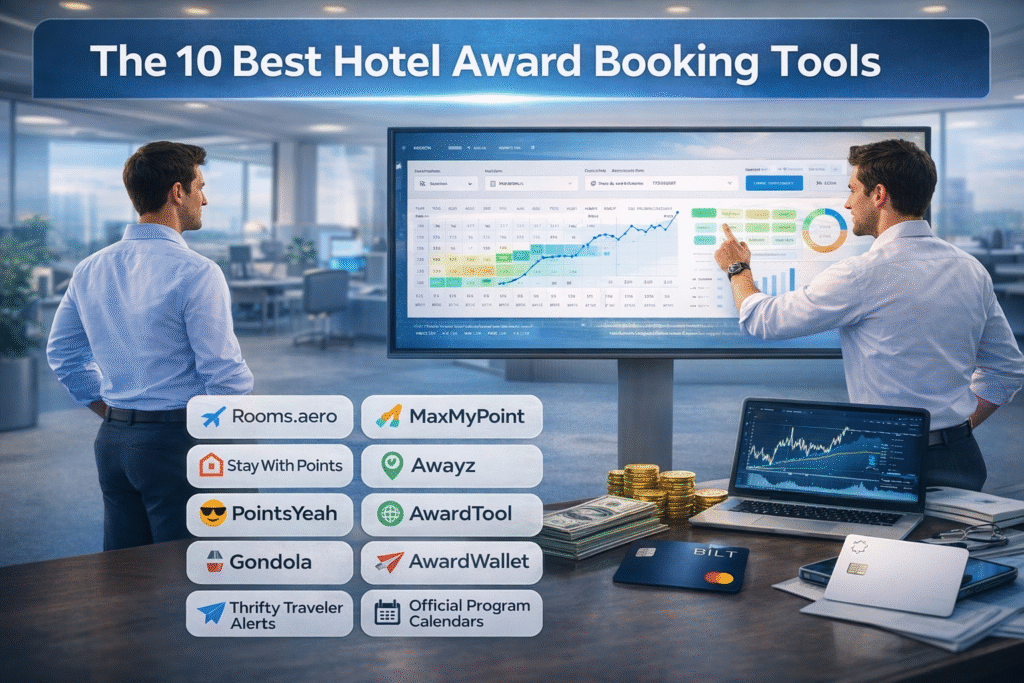
 A practical, tool-by-tool guide to finding award space faster, setting smarter alerts, and booking with confidence. Hotel awards are messy for one reason: availability is the real currency, and it changes constantly. Between dynamic pricing (Hilton / Marriott / IHG), standard-vs-premium room rules, and certificate caps, you can waste hours clicking around and still miss the exact night you wanted. The tools below solve three problems: • Find award space faster (search engines + calendars) • Stop manual refreshing (alerts) • Know when points are actually worth it (cash vs points indicators) Important: use these tools to find availability, but always confirm on the hotel program’s official site before you transfer points or book. Some tools refresh periodically, so you can occasionally see results that have changed since the last scan.   Quick Comparison (At a Glance)   Tool Free or Paid? Programs covered Best for Unique strength Watch-out Rooms.aero Free (Pro via Seats.aero) Choice / Hilton / Hyatt / IHG / Marriott Fast scanning + alerts Year-ahead scanning + free alerts Coverage varies; confirm on program site MaxMyPoint Free + paid tiers Hilton / Hyatt / IHG / Marriott Single-hotel stalking Deep point calendars + strong alerts Best features are paid; move fast Stay With Points Free + paid tiers Major chains (varies) Flexible-month hunting Flexible alerts (e.g., any 5 nights) If site is flaky, use a backup tool Awayz Trial + paid Accor / Choice / Hilton / Hyatt / IHG / Marriott / Wyndham Multi-program date searches Cash + points side-by-side + certificate filters Verify before transferring points PointsYeah Free + Premium Choice / Hilton / Hyatt / IHG / Marriott / Wyndham Flights + hotels Broad search + alerts + filters Plan limits vary; verify award space AwardTool Free + Pro Hilton / Hyatt / IHG / Marriott Power-user sweeps Year-ahead views + alerts Double-check before booking Gondola Free app Most major brands Value + repricing Cash vs points + price-drop monitoring Not an award-availability alert engine AwardWallet Free + paid options Tracks many programs Organization Balances + expirations + certificates Sync can be imperfect Thrifty Traveler Alerts Paid add-on (requires Premium) Hilton / Hyatt / IHG / Marriott Curated “unicorns” Deal-style alerts to inbox Not personalized; deals vanish fast Official program calendars Free Your program’s inventory Final confirmation Source of truth for bookability Calendar UX varies by chain   Pick the Right Tool Fast (Cheat Sheet)   Your situation Use these first Why Specific dream hotel (Maldives, Big Sur, peak NYC) MaxMyPoint + Rooms.aero + official site Best workflow for stalking one property and catching cancellations Flexible month + need consecutive nights Stay With Points + official calendar Flexible alerts are built for “any 5 nights in January” logic Need cash vs points quickly Gondola + Awayz Side-by-side pricing stops you from guessing value Using free night certificates Awayz + official program site Filters help avoid premium-room traps and mismatched caps Already booked and want to re-price if it drops Gondola Monitors refundable bookings and alerts/rebooks when prices fall Want curated luxury alerts with minimal effort Thrifty Traveler Alerts They do the hunting and email you when it’s bookable   The 10 Best Hotel Award Booking Tools (Deep Dive) 1) Rooms.aero Best for: Fast, broad award scanning + simple alerts. Cost: Free to search and create alerts; Pro features are bundled with Seats.aero Pro. Programs: Choice, Hilton, Hyatt, IHG, Marriott (coverage varies). Link: rooms.aero How to use it (quick steps): Pick your hotel program (Hyatt vs Marriott etc.) and search your destination or property. Use the calendar/map view to spot open nights without clicking date-by-date. Set an alert for your exact dates (or a target points cap if available). When an alert hits, immediately verify and book on the hotel program’s site. Where it shines: Scanning a whole city for “anything bookable on points” fast. Finding pockets of availability across a full year. Watch-outs: Think of it as radar: confirm directly with the hotel program before transfers.   2) MaxMyPoint Best for: Deep calendars and strong alerting for hard-to-book hotels. Cost: Free tier exists; paid tiers expand alerts, speed, and views. Programs: Hilton, Hyatt, IHG, Marriott. Link: www.maxmypoint.com How to use it (quick steps): Search the exact hotel and open the Point Calendar to scan 365 days at once. Use alerts that match your strategy: Full Stay (rare), Any Day (more realistic), and other advanced options depending on membership. When you get availability, book immediately—then work on the rest of your trip. Where it shines: Stalking one property until cancellations open up standard rooms. Seeing points + cash context on the calendar so you can pick the best-value nights. Watch-outs: If you need multiple consecutive nights, be ready to piece stays together one night at a time.   3) Stay With Points Best for: Flexible-month award hunting (especially for multi-night stays). Cost: Free + paid tiers; paid typically improves flexibility and alert limits. Programs: Major chains (varies by the tool). Link: staywithpoints.com How to use it (quick steps): Use it when your dates are flexible: set a flexible alert like “any 5 consecutive nights in March.” Keep a shortlist of 1–5 target hotels and alert them all. When you get a hit, book the available nights immediately, then try to extend the stay. Where it shines: People who can travel anytime in a month and just need a block of nights. Watch-outs: If the site is unreliable in the moment, use Rooms.aero or MaxMyPoint as your backup alert engine.   4) Awayz Best for: Searching multiple hotel programs at once with cash + points side-by-side. Cost: Trial + paid access (passes/subscription depending on plan). Programs: Accor, Choice, Hilton, Hyatt, IHG, Marriott, Wyndham. Link: awayz.com How to use it (quick steps): Run a destination + exact dates search, then filter by the programs and point currencies you actually use. Use advanced filters for free-night certificates and transferable points (if you’re trying to avoid a bad transfer). Use it to shortlist hotels, then confirm and book

The 10 Best Hotel Award Booking Tools Read More »

Best 0% intro APR credit cards comparison illustration

Best 0% Intro APR Offers – February 2026

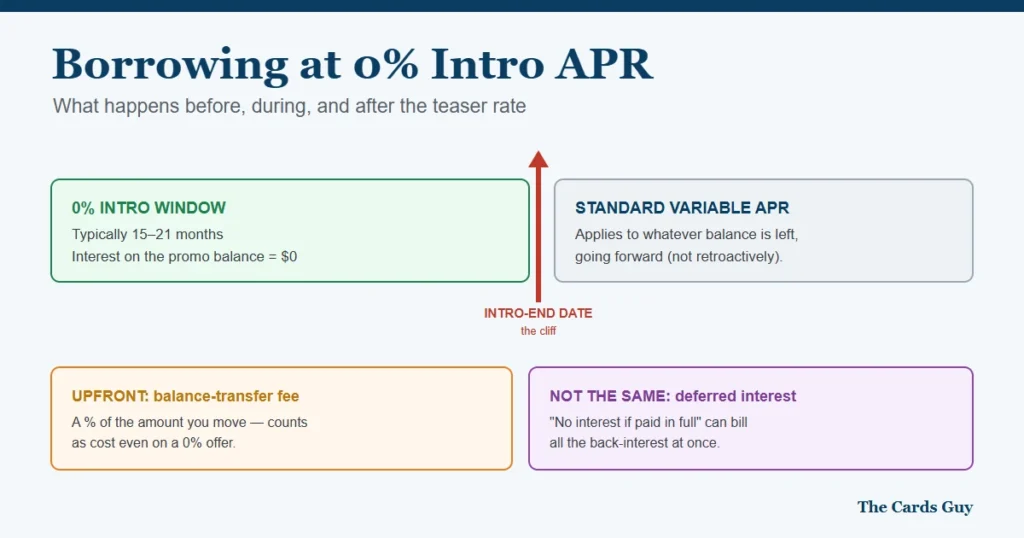
A 0% introductory APR offer can be an efficient way to finance a large purchase or temporarily eliminate interest while paying down revolving debt. The promotional period is most effective when the payoff schedule is set at the time the account is opened. Without that schedule, a 0% balance can behave like a whirlpool: the balance remains easy to carry for months, then the promotional rate ends and the regular APR begins compounding immediately. This post reviews the major banks that are most competitive for 0% introductory APR in February 2026, explains the practical differences in how these issuers structure 0% offers, and outlines the steps that improve the odds of receiving a higher starting limit while keeping personal credit utilization controlled. February 2026 Overview The credit cards 0% APR market is led by a small group of major issuers offering many options of cards with long 0% APR windows, alongside banks that compete by lowering balance transfer fees during an initial transfer window. The table below is issuer-focused review on banks, each one with it’s own strong point. Issuer Strong Point How the 0% structure is positioned Typical expected balance transfer fees U.S. Bank Longest 0% APR card options available from all Issuers Card options available up to 24 billing cycles on purchases and qualifying balance transfers (transfer deadline applies in most cards) 5% (min $5) Wells Fargo Near-2-year 0% term on purchases and transfers Up to 21 months on purchases and qualifying balance transfers (transfer deadline applies) 5% (min $5) Chase Long 0% APR options; combine credit lines from other cards, to the new 0% APR Card Up to 21 months on purchases and balance transfers (terms/fee apply). 3% – 5% (min $5) Citi Transfer-first structure designed for payoff timelines Often 21 months on balance transfers; shorter purchase window within the same family Oftten 3% during set times from account opening, then 5% Bank of America Lower-cost entry window for transfers; combine credit lines from other cards, to the new 0% APR Card Often 18 billing cycles on purchases and transfers; transfer deadline applies Often 3% during an initial window, then 4% Discover Simple options for 0% APR; pre approval available. Strong on points structures the 1st year Often 15 months on purchases and balance transfers Often 3% during a promotional window, then higher Capital One Broad consumer lineup and shopping experience with capital one shopping; pre approval available. Intro APR windows vary; commonly shorter than the longest market leaders Varies by product   Selecting the right 0% offer for the job 0% introductory APR offers fall into two practical categories: purchase financing and balance transfer payoff. The best issuer choice depends on which balance you intend to carry. Use case What matters most Operational detail that decides success Purchase financing Length of the purchase 0% window; credit limit size Set a fixed monthly payoff target immediately; avoid adding additional balances without recalculating payoff Balance transfer payoff Transfer fee, 0% window length, and transfer deadline; limit size Initiate the transfer immediately after approval; keep paying the old issuer until the transfer posts Balance transfer fees and the real financing cost For balance transfers, the introductory APR is only part of the cost. Most issuers charge a one-time balance transfer fee. The fee is added to the transferred balance immediately and should be treated as additional principal in the payoff plan. Typical fee range: 3% to 5% of the amount transferred (minimum fee applies). Transfer amount 3% fee (balance becomes) 5% fee (balance becomes) Planning note $10,000 $10,300 $10,500 Base the monthly payoff target on the total balance, including the fee. A long 0% window can still be worthwhile even with a fee if the alternative is carrying interest at standard purchase APRs. The decision comes down to whether the monthly payoff required to clear the balance before the promotional end date is realistic. Payoff planning: keeping the Intro from Eating up your Savings. The simplest plan is a fixed payoff schedule. Divide the total balance (including any transfer fee) by the number of months in the promotional period, and treat that amount as the minimum payment necessary for the strategy to work. Two practices reduce operational risk: Autopay the minimum payment to prevent accidental late payments. Schedule the payoff payment separately based on the monthly target, not on the statement minimum. Credit utilization and score management Carrying a large 0% balance on a personal card can reduce credit scores even when every payment is made on time. A widely used baseline is to keep utilization below 30% on personal revolving credit, with lower utilization typically supporting stronger score outcomes. For borrowers preparing for additional credit applications, the cleanest approach is to reduce the reported balance before the statement closes. In most cases, statement balances are what report to the credit bureaus. Improving the odds of a higher starting limit Starting limits are driven by exposure and repayment capacity. Profiles that combine long on-time payment history, low reported revolving balances, and existing high credit lines in good standing tend to perform better in limit-driven underwriting. Lower reported utilization before applying, both overall and on individual cards where possible. Avoid clusters of new accounts and inquiries in the weeks leading up to a limit-sensitive application. Maintain older, high-limit accounts in good standing; closures and reductions can weaken total available credit. Keep income and employment information current where issuers permit profile updates. If a strong relationship exists with a bank (deposit/loan history), apply within that ecosystem when the offer structure is competitive. Business vs personal: where balances report A core advantage of many business credit cards is reporting behavior. Many issuers do not report ongoing monthly business card activity to personal credit bureaus when accounts are paid as agreed, which can allow a 0% balance to be carried without inflating personal utilization in the same way a personal card would. Policies vary, and delinquency can still appear on personal reports. Capital One is the major exception among large issuers: it

Best 0% Intro APR Offers – February 2026 Read More »

Capital One Is Buying Brex After Discover

Capital One Is Buying Brex After Discover: What It Means and Where This Is Going

Capital One announced it has a definitive agreement to acquire Brex for about $5.15 billion, split between cash and stock, with a target close around mid-2026. You can read the official announcement here: Capital One press release. For a straightforward overview, here’s Reuters. This deal matters even more because Capital One already completed its Discover acquisition in May 2025. At closing, Capital One said accounts stayed unchanged at the time, Discover-branded cards would continue, and the Discover, PULSE, and Diners Club networks would join Capital One’s offerings. Discover closing announcement. Put those two moves together and the direction is pretty clear: Capital One is trying to become a bigger payments company, not just a big credit card issuer. Discover adds more control over the payment rails. Brex adds a modern business spend platform that sits on top of everyday company spending. Key takeaways Discover expanded Capital One’s position in payments by bringing Discover, PULSE, and Diners Club networks under the same roof. Brex adds corporate cards plus spend controls and expense management software that businesses use daily. Capital One is aiming to grow business payments and diversify beyond consumer credit. Brex CEO Pedro Franceschi is expected to remain CEO, and Brex is positioned to operate with a degree of independence inside Capital One. What Capital One announced with Brex Capital One says this acquisition expands its capabilities in business payments, corporate cards, and expense management. The company expects the deal to close in mid-2026, subject to regulatory approvals and customary closing conditions. Capital One’s announcement lays out the headline terms, and Brex’s CEO shared his note to customers and employees here: Brex CEO post. Deal value: $5.15B (cash + stock). Expected close: Mid-2026 (pending approvals). Leadership: Brex CEO Pedro Franceschi is expected to remain CEO after close. Operating approach: Brex leadership says the businesses are not being fully merged in the usual way, and Brex plans to run with continuity. Why the Discover deal matters for understanding Brex Discover wasn’t just more card accounts. Discover includes the payment networks behind the cards. After the deal closed, Capital One said Discover, PULSE, and Diners Club International networks would join its suite of offerings. Press release. The Federal Reserve’s approval order gives extra detail on what Capital One planned to do over time: move its debit transactions onto Discover’s networks and migrate a portion of its credit card issuing volume. Federal Reserve order (PDF). So if Discover strengthens the network and infrastructure side, the Brex acquisition strengthens the product layer that businesses use every day to manage spending. What Brex adds that Capital One didn’t already have Brex is best known for combining corporate cards with a software platform that helps businesses control spend, automate expense tracking, and connect purchases to accounting and finance workflows. In practice, Capital One is buying a modern spend-management layer that many companies already rely on. Brex’s CEO positions the deal as a way to build a larger financial platform for businesses, with more resources behind the product. Brex announcement. A software-first spend platform built around controls, automation, and finance workflows. An established base of business customers already using Brex for corporate cards and expenses. A faster path for Capital One to scale in business payments while balancing exposure to consumer credit cycles. The bigger strategy: building a full-stack payments business This looks less like two separate acquisitions and more like one long-term plan. Discover strengthens Capital One’s network position and payment rails. Brex strengthens the business spend platform. Together, it points to a strategy where Capital One participates in more of the payment journey: the issuing relationship, the network layer, and the software layer businesses use to manage spend. Reuters described the Brex acquisition as a way to expand corporate card and expense capabilities and reduce reliance on consumer credit. Reuters coverage. What this could mean for Capital One customers Consumer cardholders Brex is mainly a business payments and expense-management play, so most consumer cardholders shouldn’t expect immediate changes tied to this deal. The bigger consumer-facing shift is the ongoing Discover integration and what Capital One chooses to do with the network over time. Small business customers This is where the upside could show up first. Brex’s tools are built for spend controls, employee cards, expense automation, and accounting integrations. Over time, Capital One could offer Brex as a solution for its business clients or bring Brex-style features into its business products. Discover customers When the Discover deal closed, Capital One said accounts stayed unchanged at the time and customers would be told ahead of any changes. Discover closing announcement. Brex doesn’t directly change anything for Discover cardholders right now, but it does show Capital One is continuing to invest heavily in payments. What this could mean for Brex customers In the near term, Brex leadership is signaling continuity: the same platform, the same leadership, and the same general product direction. The CEO has said Brex will become part of Capital One but is not being merged in the typical way, which suggests customers shouldn’t expect a sudden forced migration. Over time, the benefits for Brex customers could include more scale behind the platform, access to a larger balance sheet, and faster investment in features. The main question to watch is whether bank ownership leads to tighter risk controls or underwriting changes in certain segments. Risks and trade-offs to watch Integration load: Discover was a major integration, and Brex adds another large platform to execute on. Regulatory scrutiny: Discover’s approvals included conditions tied to remediation, showing regulators are watching execution closely. Product velocity: Capital One will need to preserve Brex’s product speed while meeting bank-grade compliance expectations. Future pricing and underwriting: Changes may not happen immediately, but they can evolve as the business matures under a bank owner. On the Discover side, the OCC described its approval as conditional and tied to corrective actions and remediation. OCC news release. Timeline and what to watch next Regulatory review and confirmation of the expected mid-2026 closing timeline.

Capital One Is Buying Brex After Discover: What It Means and Where This Is Going Read More »

Pre-Qualify Soft pull · No credit impact