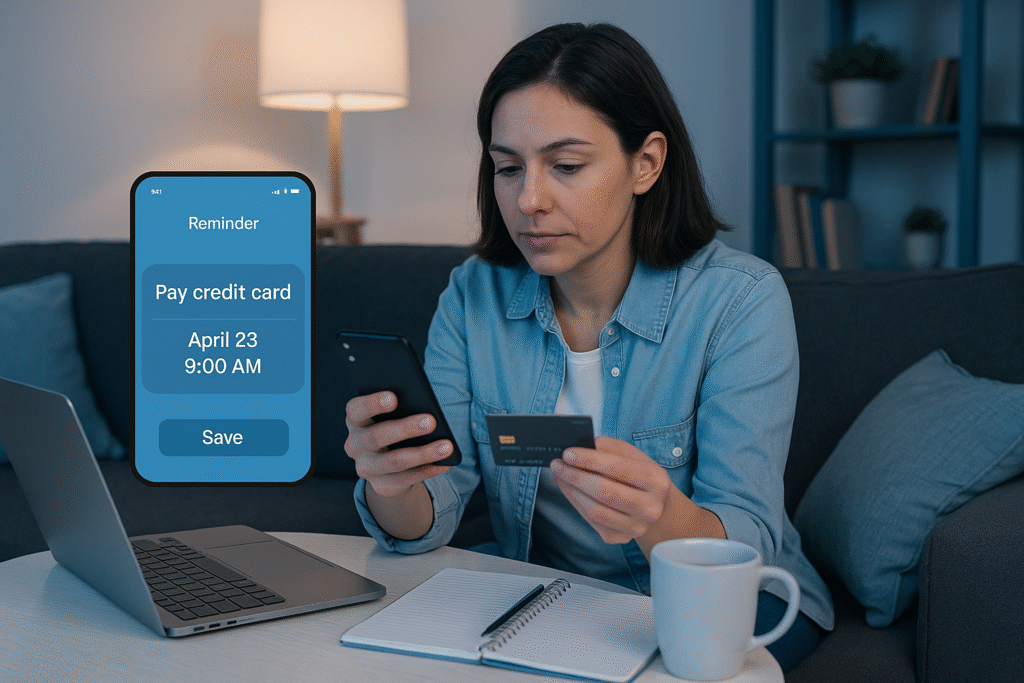
How to Never Miss a Credit Card Payment: 4 Fail-Safe Methods
KB Karl Brown — Founder & lead card reviewer, The Cards Guy I’ve missed exactly one credit card payment in my adult life — a single forgotten due date that cost me a late fee and a small, stupid jolt of panic. That one slip is why I built the four-layer system below for myself years ago, and why I’ve since walked dozens of readers through setting up the same fail-safes. None of this is theoretical: it’s the exact routine I run on my own cards every month. Published: October 1, 2025 · Last reviewed: June 9, 2026 · More from Karl Juggling multiple credit card due dates can feel like a high-stakes game where one small slip-up turns into a late fee and a hit to your credit score. In a world of competing bills, it’s genuinely easy to miss a payment — and the consequences can linger far longer than the mistake. The advice you usually find is fragmented: a tip here, a half-solution there, nothing that actually holds up when life gets busy. So here is the system I actually use. It isn’t a list of tips — it’s four overlapping methods that back each other up: automated payments, strategic due-date management, multi-layered reminders, and proactive monitoring. Run all four and a missed payment stops being something you worry about. Table of Contents Method 1: Build Your Foundation with Automated Payment Setup Method 2: Strategic Due-Date & Reminder Systems Method 3: Proactive Account Monitoring & Budgeting Method 4: How to Recover from a Missed Payment Method 1: Build Your Foundation with Automated Payment Setup The single most effective way to guarantee on-time payments is to take yourself out of the equation. Autopay is the cornerstone of any fail-safe plan — it’s the layer that does the work even on the months you forget the card exists. This matters more than people realize, because according to myFICO, payment history makes up 35% of your FICO Score — the single biggest factor in the whole calculation. One automated on-time payment a month is the cheapest credit-score insurance you will ever buy. How to set up autopay on your credit card The exact steps vary a little between issuers, but the path is almost always the same: Log in to your account. Use your issuer’s website or mobile app. Find the payments area. Look for a section labeled “Bill Pay,” “Payments,” or “Autopay.” Choose your payment amount. This is the choice that actually matters — here’s how I think about the three options: Autopay Option What it does & my recommendation Statement Balance Pays your full balance each month. This is the option I use — it avoids interest entirely and keeps your utilization clean. Minimum Payment Pays only the minimum due. It keeps your account in good standing, but you’ll accrue interest on whatever is left — treat this as a safety floor, not a strategy. Fixed Amount Pays a set dollar amount you choose. If you go this route, set it comfortably above your typical minimum so you’re actually chipping at the balance. Link your bank account. Provide the routing and account number for the checking account you’ll pay from. Confirm and watch the first cycle. Activate it, then check the first month’s payment actually processed. I always verify month one — an autopay you never confirmed isn’t a fail-safe, it’s a guess. Why autopay is worth it It protects the biggest piece of your score. Since payment history is the largest FICO factor, a perfect on-time record is the most valuable habit you can automate — it’s the backbone of building and maintaining good credit. It kills late fees. A missed due date is the most pointless expense in personal finance. Automating it away means it simply can’t happen. It lowers the mental load. Not having to remember every due date frees up attention for the financial decisions that actually need a human. It saves time. Set it once, skip the monthly login-and-pay chore forever. Managing your autopay over time Your situation will change, so know how to manage the setting. Switching the linked bank account or pausing autopay temporarily is almost always done from the same payment portal where you set it up. The one rule I never break: make sure the linked account has enough money a few days before the due date. A failed autopay can sting just as much as a missed one — same late fee, same headache. Method 2: Strategic Due-Date & Reminder Systems Automation is powerful, but a truly fail-safe setup adds human-visible reminders on top of it. This becomes essential the moment you’re juggling more than one card. How to manage multiple due dates Different due dates on different cards is one of the most common ways people slip. The fix I recommend is simple: sync them. Most issuers let you change your payment due date — call the number on the back of the card or look in your online account settings. Pick a date a day or two after you get paid, then move every card to it. One due date a month is dramatically easier to defend than five scattered across the calendar. Build a multi-layered reminder net Even with autopay on, alerts are a cheap safety net. I run three layers so that if one fails, another catches it: Reminder Type How it works & best practice Issuer alerts Turn on email and text alerts directly from your card company. These are your first line of defense for due-date and payment-confirmation notices. Calendar reminder Add a recurring event in Google or Outlook for 3–5 days before the due date. Its job is to prompt you to confirm the linked account has the funds. Bill-management app If you carry several cards, a dedicated bill app can pull every due date into one dashboard so nothing hides. The proactive play that ends late fees for good The real answer to avoiding late fees is integration. Combine
How to Never Miss a Credit Card Payment: 4 Fail-Safe Methods Read More »